
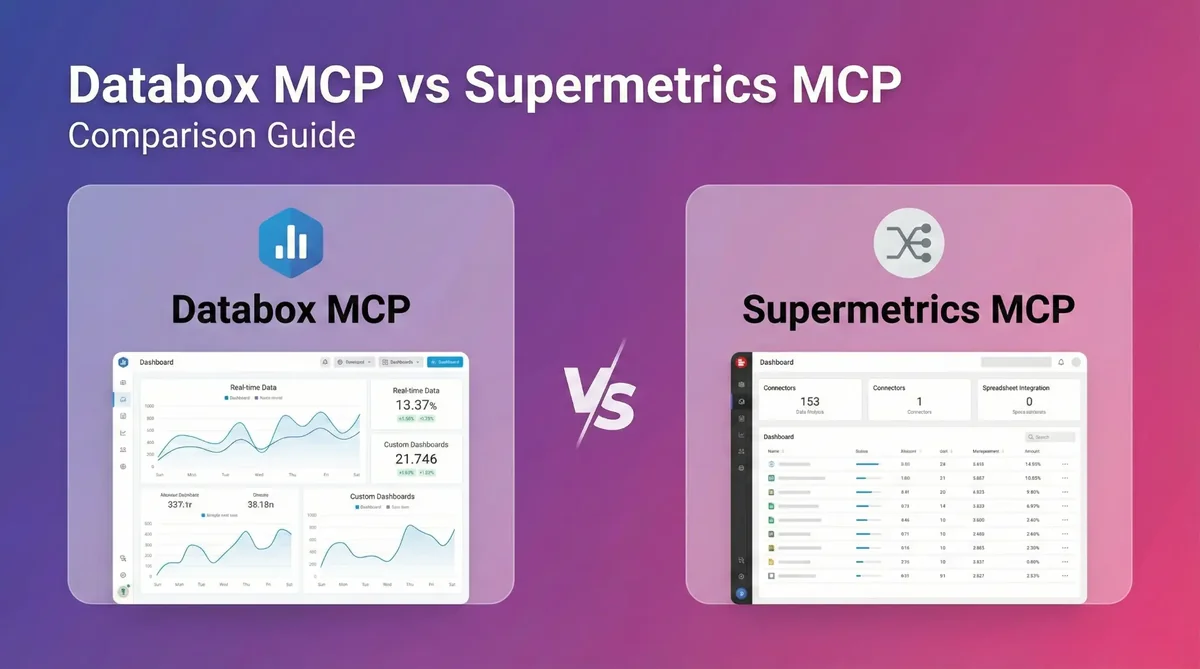
If you’re evaluating MCP servers for your analytics stack, you’ve probably noticed that “MCP support” can mean very different things depending on the vendor.
I’ve been working with both platforms, and the distinction matters more than most comparison articles let on. Supermetrics and Databox both offer MCP implementations, but they’re built for different jobs. Supermetrics is a data pipeline tool—it’s built to pull marketing data from many sources and send it to another destination. Databox is an analytics platform—it’s built to help teams understand performance, align on what’s happening, and decide what to do next.
Understanding this distinction matters because it determines what your AI agents can actually do. One approach gives your AI eyes. The other gives it hands.
What Each Platform Actually Does
Supermetrics MCP: The Data Retrieval Specialist
Supermetrics has built its business on solving a specific problem: marketers need data from Meta Ads, Google Ads, LinkedIn, TikTok, and dozens of other platforms, all in one place. Their MCP server extends this capability to AI agents.
The SuperMCP server (as they call it) offers tools for:
- Data Source Discovery: Browse available marketing platforms and their capabilities
- Field Discovery: Understand what metrics and dimensions each source offers
- Account Discovery: See which ad accounts you have access to
- Data Querying: Pull data from connected platforms with async support for large datasets
Supermetrics processes roughly 15% of global ad spend through their platform, so they’ve optimized heavily for reliable, high-volume data extraction.
What this means in practice: An AI assistant can ask “What was our Google Ads spend last month?” and get an accurate answer. Supermetrics handles the authentication, rate limits, and API quirks that make marketing data so painful to work with manually.
Databox MCP: The Analytics and Action Platform
Databox approaches the problem differently. Instead of focusing on extraction, it’s built around storage, analysis, and action.
The Databox MCP server includes:
- Data Ingestion: Push data directly into Databox datasets via
ingest_data - Schema Management: Create new data sources and datasets on the fly
- AI-Powered Querying: Ask questions in natural language with
query_dataset_with_ai - Audit Trails: Track what data came in, when, and from where
What this means in practice: Your AI doesn’t just read data—it can write it too. An agent can pull information from an external API, push it into Databox, and immediately analyze it alongside your other metrics. The same agent that spots a problem can also log the incident for future reference.
The Core Architectural Difference
Here’s the distinction that matters most: Supermetrics MCP is read-only. Databox MCP supports both reading and writing.
This sounds like a technical detail, but it determines the ceiling on what your AI agents can accomplish.
| Capability | Supermetrics MCP | Databox MCP |
|---|---|---|
| Query existing data | ✓ | ✓ |
| Discover available metrics | ✓ | ✓ |
| Push new data into the system | ✗ | ✓ |
| Create new datasets | ✗ | ✓ |
| Close the analysis loop | ✗ | ✓ |
With a read-only MCP, your AI can answer questions about what already exists. With a read/write MCP, your AI can participate in the data workflow—monitoring, acting, and recording what it did.
What This Looks Like in Practice
Let me walk through two scenarios I’ve encountered that illustrate the difference.
Scenario: Campaign Performance Monitoring
With Supermetrics MCP:
- Your AI queries Supermetrics for Google Ads performance data
- It identifies that CPA has spiked 30% on one campaign
- It tells you about the problem
- …and that’s where it stops
The agent retrieved the data successfully. But it can’t log the incident, it can’t trigger an alert in your system, and it can’t record what action you took. You’re back to manual processes for everything after the initial insight.
With Databox MCP:
- Your AI queries campaign performance from data already in Databox
- It identifies the CPA spike
- It uses
ingest_datato log the anomaly with timestamp and context - It can trigger a workflow to pause the campaign (via n8n integration)
- It records the action taken for your audit trail
Same insight, but the agent can actually close the loop.
Scenario: Competitive Intelligence
With Supermetrics MCP:
You can pull your own marketing data, but competitive data from web scraping or third-party tools has nowhere to go. Supermetrics is designed to extract from its supported connectors, not to accept arbitrary data.
With Databox MCP:
An n8n workflow scrapes competitor pricing daily and uses ingest_data to push it directly into a Databox dataset. Your AI can then correlate competitor prices with your conversion rates in the same query. The data doesn’t need to exist in a supported marketing platform first.
When to Use Each Approach
Supermetrics MCP makes sense when:
- You need data extraction at scale. Supermetrics connects to 150+ marketing platforms with battle-tested integrations. If your bottleneck is getting data out of scattered sources, they’ve solved that problem.
- You’re feeding a data warehouse. If your workflow is “extract marketing data → load into BigQuery/Snowflake → analyze elsewhere,” Supermetrics is purpose-built for that first step.
- AI is for ad-hoc questions only. If you just want to ask quick questions about campaign performance without building automated workflows, read-only access is sufficient.
Databox MCP makes sense when:
- You’re building automated workflows. If your AI agents need to monitor, act, and record—not just observe—you need write capabilities.
- You want to consolidate analysis in one place. Databox can serve as the central hub where data from multiple sources (including Supermetrics exports) gets analyzed together.
- You’re implementing headless BI. If you want AI agents to access metrics without navigating dashboard structures, Databox’s architecture supports that pattern natively.
- You need to ingest non-standard data. Competitor intelligence, survey results, or any data that doesn’t come from a standard marketing API can be pushed directly into Databox.
The Bottom Line
Supermetrics MCP is excellent at what it’s designed for: giving AI agents access to the same reliable marketing data extraction that humans use in the Supermetrics interface.
Databox MCP is designed for a different job: enabling AI agents to participate in the full analytics lifecycle, including pushing data back into the system.
The question is which problem you’re trying to solve. If you need to get data out of marketing platforms, Supermetrics has spent years perfecting that. If you need AI agents that can monitor, analyze, and act on your data in a closed loop, Databox provides the read/write architecture that makes that possible.
Don’t just extract your data—act on it. Try Databox for free to experience true AI-powered business analytics. Connect your sources in seconds and use our read/write analytics MCP to monitor, chat with, and automate workflows inside Claude, n8n, and more.
Explore Other MCP Comparisons
See how Databox MCP stacks up against other platforms:
Windsor.ai MCP vs. Databox MCP
Function Comparison
Supermetrics MCP (SuperMCP) Functions
| Function | Purpose |
|---|---|
| data_source_discovery | Browse available data sources and their capabilities |
| field_discovery | Explore available fields and metrics for each source |
| accounts_discovery | Discover and validate connected accounts |
| data_query | Execute async data queries with progress monitoring |
| get_async_query_results | Retrieve results of data queries using schedule_id |
| user_info | Get user profile, team info, and license details |
| get_today | Get current date for query parameters |
| search | Search across data sources, accounts, and fields |
| fetch | Fetch full details for a specific resource by ID |
Databox MCP Functions
| Function | Purpose |
|---|---|
| list_accounts | Lists all Databox accounts accessible to the user |
| list_data_sources | Lists all data sources for a specific account |
| create_data_source | Creates a new data source container |
| delete_data_source | Permanently deletes a data source |
| list_data_source_datasets | Lists all datasets within a data source |
| create_dataset | Creates a new dataset with defined schema |
| delete_dataset | Permanently deletes a dataset |
| ingest_data | Pushes data records into a dataset |
| get_dataset_ingestions | Retrieves ingestion history and job statuses |
| query_dataset_with_ai | Queries a dataset using natural language |
Frequently Asked Questions
What is the Model Context Protocol (MCP)?
MCP is an open standard released by Anthropic that lets AI models connect to external data sources without custom integrations. If a platform has an MCP server, any MCP-compatible AI (Claude, ChatGPT, Cursor) can connect to it.
Can Supermetrics MCP write data back to marketing platforms?
No. Supermetrics MCP is read-only—it retrieves data from marketing platforms but cannot push data back to them or into its own system.
Can I use both Supermetrics and Databox together?
Yes. Many teams use Supermetrics for extraction and Databox as the AI-accessible analytics layer. Data flows from Supermetrics into Databox, where agents can query and act on it.
What’s the setup time for each?
Supermetrics requires a subscription and OAuth connections to each marketing platform you want to access. Databox MCP can be connected to Claude or other AI tools in under 60 seconds with an API key.
Which platforms does Supermetrics connect to?
Supermetrics supports 150+ data sources including Google Ads, Meta Ads, LinkedIn Ads, Google Analytics 4, HubSpot, Salesforce, and most major marketing platforms.
References
- SuperMCP Documentation – Official Supermetrics MCP server documentation
- Supermetrics Wrapped 2025 – Overview of Supermetrics AI capabilities
- Databox MCP – Databox MCP server overview
- Model Context Protocol – Official MCP specification