
MCP
Connect Databox to your AI tools
Databox MCP gives AI tools like Claude, ChatGPT, and n8n access to your metrics and the logic behind them, so your AI answers from data your team already trusts.

Trusted by 20,000+ teams worldwide








Your AI is the interface.
Databox is the brain
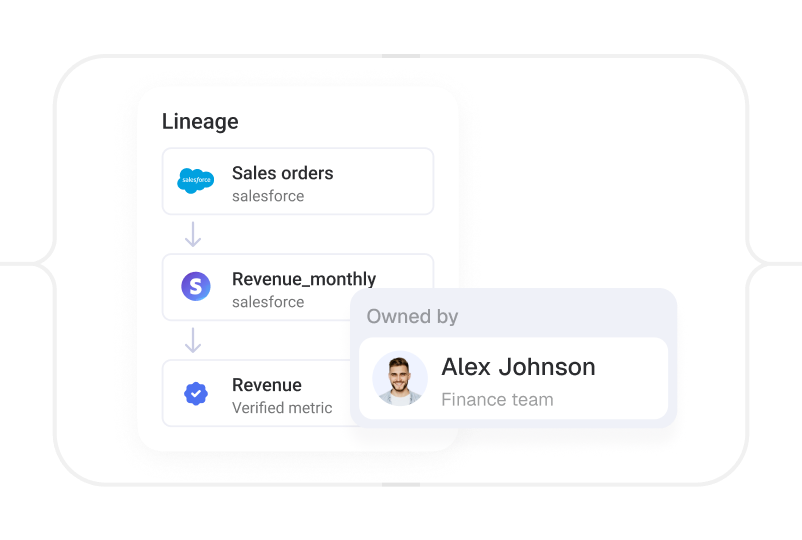
Claude and ChatGPT have no knowledge of your business performance. Databox does. It knows your definitions, your calculation logic, your performance history, your goals. Connect the two, and your AI answers from all of it.

Your definitions
"Revenue" means your revenue, not the AI's best guess.
Your history
Your full performance history, so it can compare periods and spot what changed.
Your logic
Every number calculated your way, so the math is right, not reconstructed on the fly.
Your context
Your goals, priorities, and how metrics connect, so answers reflect what success looks like to you.

“With the Databox MCP we can connect it to Claude and build a skill to be that analyst, to be that brainiac. It’s incredible what can be done — stuff that just couldn’t be done in the past, cross-referencing all sorts of information together and getting advice from the AI.”
 Rick Kranz
CEO, AI Marketing Labs
Rick Kranz
CEO, AI Marketing Labs
Databox + Claude
With a native connector with Claude you can pull governed and contextual data you can trust into your Claude workspace.

Ask your data
Get answers you can trust, instantly
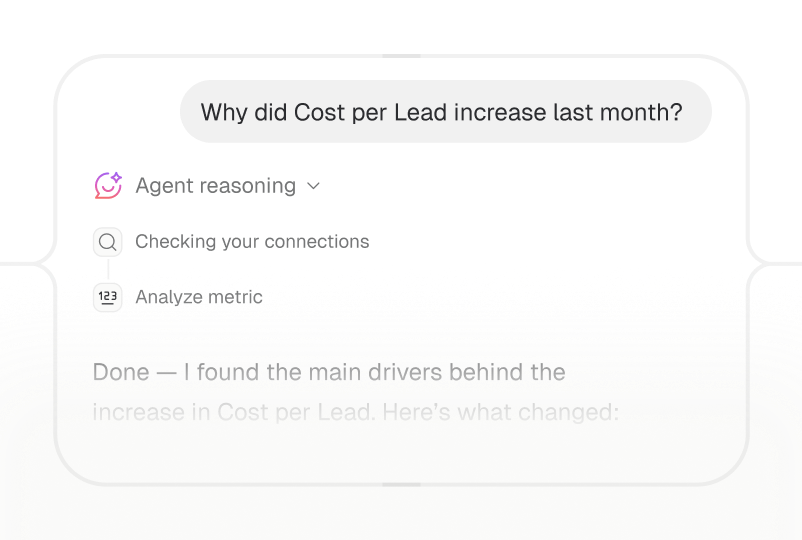
Ask questions and get answers from your trusted metrics, right inside your AI tool.
Answers with visuals
Ask about revenue, pipeline, or campaigns the way you'd ask a teammate, and get a visualized answer built from your defined metrics.
Dashboard analysis
Point your AI at any Databox dashboard and have it break down the metrics and explain what changed.
Multi-account analysis
Compare performance across every client account or brand you manage in a single conversation, and spot what needs your attention faster.

Act on insights
Turn insights into action
Because your AI stays connected to Databox, an answer is never the end of the conversation. Automate repetitive work, and run everything else on demand.
Automated workflows
Connect Databox to n8n or Make so your AI can pull data and take the next step in a bigger flow.
Custom skills
Build reusable skills that pull your data and run the exact analysis you need, again and again.
Recurring analysis
Schedule your AI to run the analysis and write the recap, so you get the story on the cadence you need.

Bring data in
Get any data into Databox through your AI
Push new data into Databox straight from your AI tool, then build metrics you can visualize alongside the rest of your tools.
CSV cleanup in chat
Upload a messy spreadsheet, have your AI clean it up, and push it into Databox as metrics you can track.
API pushed from AI
Pull data from any API and push it into Databox, no pipeline to build.
Create datasets
Pull the exact data you need and turn it into one clean table ready to analyze alongside the rest of your data.

Skills marketplace
Run advanced analyses with prebuilt skills
Expert-built skills that run through the MCP connection and hand you a finished report or analysis.

Works with the AI tools you already use
One endpoint connects Databox to any MCP-compatible tool, so you’re set up in about a minute.

Claude

ChatGPT

Cursor

n8n

Any MCP client
Security & compliance
Your AI gets access. You stay in control
Databox connects to your AI through secure authentication, and your data never leaves your control.
Secure connection
Every connection uses OAuth, so data moves safely between Databox and your AI tool.
Access you control
Your AI only sees what you're allowed to see, following the same permissions as your account.
Your data stays yours
Your numbers stay in your Databox account, governed by the SOC 2 and GDPR standards you already trust, and never used to train AI models.

- GDPRcompliant
-
 SOC 2certified
Use cases
See the Databox MCP in action
Real examples of how teams use it to analyze performance and automate their work.
Start chatting with your data

Do more with Databox
MCP is one way in. See what else Databox does.

Learn more
Frequently asked questions
What is MCP AI?
“MCP AI” means connecting an AI tool, like Claude or ChatGPT, to outside data through the Model Context Protocol (MCP), an open standard that lets the AI query live information instead of relying only on what’s typed into the chat. Databox MCP is this kind of connector — it gives your AI tools direct access to your Databox metrics and the logic behind them.
How can I connect ChatGPT or Claude to my business metrics?
Add Databox as an MCP connection in Claude, ChatGPT, or any MCP-compatible tool using your Databox API key, about a one-minute setup. Once connected, ask questions about your revenue, pipeline, or campaigns directly in that AI tool, and it answers from your real, governed Databox metrics instead of guessing.
What is Databox MCP?
Databox MCP is a Model Context Protocol server that connects your AI tools, like Claude, n8n, or Cursor, to your Databox data. You can push data from any source and query your datasets using natural language, all through your AI assistant.
How is this different from uploading data to ChatGPT?
ChatGPT recalculates from scratch and guesses at context every time you paste data in. MCP queries your actual Databox data and returns the same definitions and results you’d see on your dashboard.
Which AI tools work with Databox MCP?
Any MCP-compatible tool, including Claude Web and Desktop, Gemini CLI, n8n, and Cursor. New integrations are added regularly.
Do I need to code to use Databox MCP?
No. Just ask questions in plain language through your AI tool. Developers can use the API for more advanced workflows.
Is my data safe when I connect it through MCP?
Yes. Every connection uses secure, key-based authentication, your data stays inside your Databox account under the same SOC 2 and GDPR-aligned practices you already trust, and your AI only accesses data you’ve explicitly granted permission to.
Can I automate reports through MCP?
Yes. Connect Databox to n8n or Make to schedule queries, analyze results, and trigger actions automatically.
Is Databox MCP included in my plan?
Databox MCP is available during the 14-day free trial and on all paid plans at no extra cost. You’ll need an active paid account and an API key; free plan accounts need to upgrade to access MCP.