
Leaky Funnel Finder
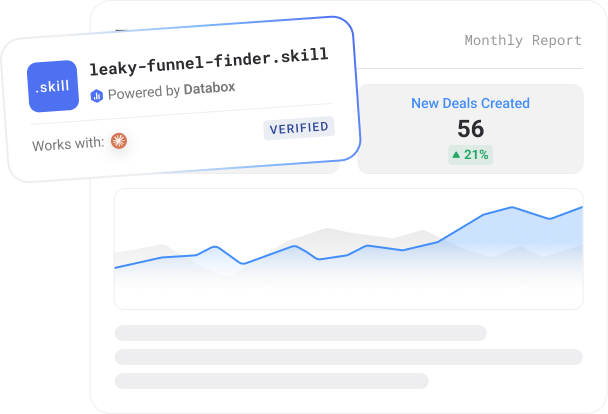
A Claude skill that reads your HubSpot or Salesforce pipeline from Databox and diagnoses where deals are leaking, stuck, or going stale — against your funnel's own baseline, not universal benchmarks — then names the biggest leak and its impact.
~5 minutes setup
Runs on demand
Claude + Databox MCP

Built by
Computan
Computan is a Canada-based web development and HubSpot solutions company that partners with marketing agencies, e-commerce businesses, and non-profits as a white label WordPress development and HubSpot CRM consulting team, handling the build, integration, and ongoing upkeep of their digital platforms.
How to use it
Step 1
Download the skill
Click Get it free above. The skill file downloads to your machine.
Step 2
Install in Claude
Open Claude Desktop → Settings → Skills → Install from file. Select the downloaded file.
Step 3
Connect Databox
The skill prompts you to connect your Databox account using the connector. This takes less than a minute, and you'll need a free Databox account.
Step 4
Trigger on demand
Type the trigger phrase in Claude — listed in the setup guide. The skill runs against your live Databox data and returns the output.
More about it
Example report
What does the Leaky Funnel Finder do?
- Works with
- Claude and Databox
- Requires
- Databox account + Databox MCP
- Data source
- HubSpot CRM, Salesforce CRM
- Output
- HTML report
- Best for
- Growth teams, agencies, founders
- Setup time
- ~5 minutes
Most pipeline reviews start from a gut feeling that “something’s off” and a dashboard that shows a hundred numbers without saying which one matters. Leaky Funnel Finder replaces that with a diagnosis.
On first run it does a one-time onboarding — discovering your connected CRM (HubSpot or Salesforce), confirming which pipeline to analyze, checking for optional deal-level access, and saving the setup so future runs are instant. Then each run pulls the current period, the prior period, and six months of history for deal creation, open pipeline by stage, closed-won and closed-lost, deal value, and time-to-close.
The core of the skill is that it has no hard-coded thresholds. It builds the baseline from your own funnel — what normal stage conversion, sales cycle, and deal velocity look like for you — and flags where the current period deviates.
It separates three distinct problems: leakage (deals dropping out), blockage (deals accumulating or slowing in a stage), and early warnings (leading indicators of future revenue trouble). Financial impact is reported as three clearly separated categories — Confirmed Lost Value, Pipeline at Risk, and Estimated Pipeline Leakage — never blended into one inflated number.
The deliverable is a self-contained HTML report: a Funnel Health Verdict banner, the biggest leak with its pipeline value and likely owner, prioritized leakage and blockage findings, stale-deal detection (when deal-level data is connected), sales-cycle and velocity read, an ownership map framed as who should investigate, and an “Investigate First” list ranked by impact. It closes with a three-sentence verbal brief. Written like a RevOps analyst briefing a CRO — a prioritized point of view, not a metric dump.
What metrics it analyzes
-
 New pipeline creation
-
Open pipeline by stage
-
Total open pipeline value
-
Closed Won
-
Closed Won value
-
Closed Lost
-
All deals (open + closed), reference total
-
All deals value, reference total
-
Average time to close
-
Stage entry volume, current vs historical
-
Stage exit volume, current vs historical
-
Open pipeline by stage - count and value
-
Closed Won, overall and by owner
-
Closed Lost, overall and by owner
-
Closed Won revenue
Who it’s for
Heads of growth and operators
You run the numbers on Monday. This replaces the 20 minutes of tab-switching with a brief that is ready before your standup.
Agency analysts
Run it for each client. Get a consistent read on every account in the time it used to take to review one.
Founders doing their own analytics
You know what your metrics are. This tells you what they mean and what to do about it.
What’s in the package
Security scanned Reviewed by Databoxleaky-funnel-finder (1).skill
Install file for Claude
leaky-funnel-finder-setup-guide.pdf
MCP connection steps, configuration options, example run
Example prompts you can ask Claude
What you need to run this
Claude
Free to download. Required to install and run skills.
Databox account
The skill connects to your data in Databox. The 14-day trial and all paid plans include all integrations you need to use this skill.
MCP connection
Connector inside your Claude. Takes less than a minute to set up. Full instructions in the setup guide included in the download.
Don't have Databox yet?
Free to start. Connect your first integration in minutes — no credit card required.
Built on Databox
No AI hallucinations. Analysis built on a real context layer.
Ask a generic AI to analyse your business performance and it will give you a confident answer. It will also be working from assumptions.
Generic AI doesn't know how your business defines a qualified lead, what your MRR calculation includes, or how you attribute revenue. It fills those gaps with the most plausible interpretation it can find — which is different from the correct one.
The products here run on Databox's data layer — if you choose so. Your metric definitions, your reporting logic, and your live numbers are what the AI reads, pulled straight through Databox MCP instead of uploaded by hand. That's the difference between an output you can share with your team and one you have to verify before you trust it.
Connect any AI tool to your Databox data with Databox MCP.
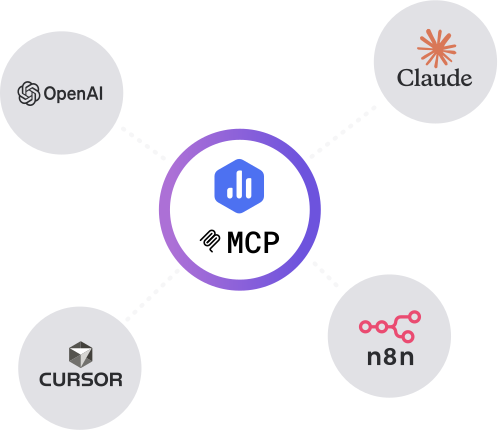
Databox MCP is the bridge between your live metrics and any AI — Claude, ChatGPT, Cursor, or any client that speaks MCP. One auth, every workspace, no scraping.
Stay updated with new AI products
New skills, prompts, agents, and bundles ship every few weeks. Get them in your inbox.
More like this
Built by
Executive Decision Brief
Turn your connected metrics into a one-page leadership briefing in minutes.
Works with
Claude
Sales Target Pacing
Your monthly sales target turned into a rep-by-rep pace check — in deals, not just dollars.


Works with
Claude
Built by
 Arcanian Consulting Ltd.
Set Baseline
Set an honest, seasonality-aware baseline for any metric before a campaign — a typical-range band with confidence.
Works with
Claude
Built by
Sales Pulse
Pipeline analysis before charts. Reads your CRM through Databox and tells you what's healthy, what's slipping, and where

Works with
Claude
Common questions
What does Leaky Funnel Finder do?
It connects to your Databox workspace via MCP and diagnoses where your CRM pipeline is leaking, blocked, or stalling — measured against your own funnel's history, not generic benchmarks. It produces an HTML report that names the biggest leak, its pipeline value at risk, the likely owner, and what to investigate first.
Which data sources does the skill need?
A HubSpot CRM or Salesforce data source connected in Databox (required), read through the Databox MCP. It pulls deal creation, open pipeline by stage, closed-won/lost, deal value, and time-to-close. An optional deal-level dataset unlocks individual stale-deal detection; without it, the skill still runs at the stage/metric level and says so.
How does it decide what's a problem?
It uses no hard-coded thresholds. It builds a baseline from your own prior periods and six months of history, then flags where the current period deviates — separating leakage, blockage, and early warnings, each with a confidence level. It never invents a cause the data doesn't support.
Do I need a Databox account to use this skill?
Yes, ideally — and here's why it matters. Point a generic AI at a raw data export and it has to guess what your numbers mean: which conversions count, how you define an engaged session, what a "normal" week looks like. It fills those gaps with the most plausible interpretation it can find, which is often not the correct one. The skill avoids that by reading your data live from Databox through MCP, where your metrics are already standardized — one consistent definition for sessions, engagement, and conversions across your setup. The AI reads what's actually true for your business instead of inferring it, so the report is one you can trust rather than verify. You can technically run it against data you've pasted in by hand, but you lose that context layer and the output is only as reliable as the export. If you don't have an account or data source connected yet, the skill walks you through the setup.
Do I need a paid Databox plan to run this skill?
The skill is free to download. Running it requires the Databox MCP connection, which isn't included on the forever free plan. Every new Databox account starts with a 14-day free trial that includes everything the skill needs — after that, any paid plan covers it, including the Analyst plan.
Does this use live data from my connected source?
Yes — every run reads your live data directly from Databox through the MCP connection. The report reflects your current data at the moment you run it, not a cached or uploaded snapshot.
Do I need to export data manually?
No — there are no CSV exports and no copy-paste. The skill pulls your data straight from Databox through MCP each time it runs, so the report is always built from your live source.
Can agencies run this for multiple clients?
Yes — run it against each client's data connected in Databox, one account at a time, and you get the same structured weekly brief for every client. It's built to give a consistent report you can take to each client review.
Can I customize the report?
Yes. Before it runs, the skill asks a few onboarding questions — what you want to measure, the time frame, and any context that matters for the analysis — so the report is shaped to your goals from the start. After a run, you can give it feedback to adjust focus, sections, or anomaly thresholds, and reinstall the updated version so your changes carry into future runs.