Sales Target Pacing
A Claude skill that reads live CRM data from Databox and turns each rep's gap to quota into deal counts at your own price points — with a pipeline coverage check and one specific coaching line per rep who's behind. Free to download.
- ~5 minutes setup
- Runs on demand
- Claude + Databox MCP
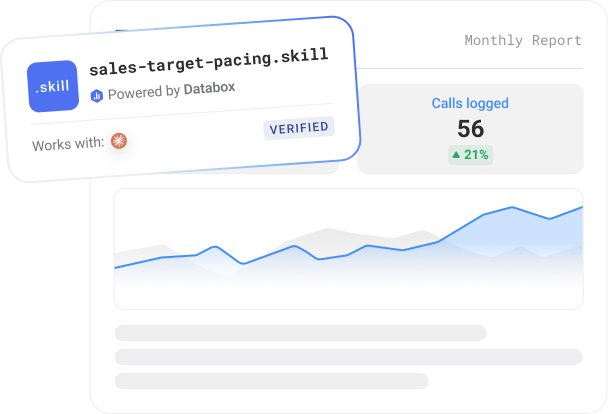
- Works with
- Claude
- Requires
- Databox account + Databox MCP
- Data source
- HubSpot CRM, Pipedrive CRM, Salesforce CRM
- Output
- HTML report
- Best for
- Growth teams, agencies, founders
- Setup time
- ~5 minutes
What it does
Every sales team tracks a dollar gap to quota. Almost none of them translate that gap into something a rep can actually act on: how many deals, of what kind, by when — and whether there’s even enough in the pipeline to get there.
This skill connects to your CRM through Databox and turns your monthly target into a rep-by-rep pace check that speaks in deals: “$2,860 short” becomes “9 Growth-plan deals, or about one every other day.” It checks whether each rep’s open pipeline actually covers their remaining gap, and when it doesn’t, gives one short, specific coaching line based on what’s actually wrong — stalled deals that need re-engaging, or simply too few deals in play — instead of a generic “close more” nudge.
First run walks through a short setup: it discovers your rep roster from your connected CRM, asks you to confirm it, takes team and individual targets, and asks whether you sell at fixed price points or should anchor deal counts to average deal size. Saved once, reused every run after.
The report reads the way a manager scans a team: reps sorted by percent to quota, each with one color signal — green, orange, or red — based on pace, not raw attainment, so 60% of quota reads differently on day 5 than on day 28. Everything else stays quiet, so the one color that matters and the one coaching line that matters both stand out.
No AI hallucinations. Analysis built on a real context layer.
Ask a generic AI to analyse your business performance and it will give you a confident answer. It will also be working from assumptions.
Generic AI doesn't know how your business defines a qualified lead, what your MRR calculation includes, or how you attribute revenue. It fills those gaps with the most plausible interpretation it can find — which is different from the correct one.
The products here run on Databox's data layer — if you choose so. Your metric definitions, your reporting logic, and your live numbers are what the AI reads, pulled straight through Databox MCP instead of uploaded by hand. That's the difference between an output you can share with your team and one you have to verify before you trust it.
Who it's for
What's in the package
Security scanned Reviewed by DataboxHow to use it
Example prompts you can ask Claude
What you need to run this
Claude
Free to download. Required to install and run skills.
Databox account
The skill connects to your data in Databox. The 14-day trial and all paid plans include all integrations you need to use this skill.
MCP connection
Connector inside your Claude. Takes less than a minute to set up. Full instructions in the setup guide included in the download.
Free to start. Connect your first integration in minutes — no credit card required.
Connect any AI tool to your Databox data with Databox MCP.
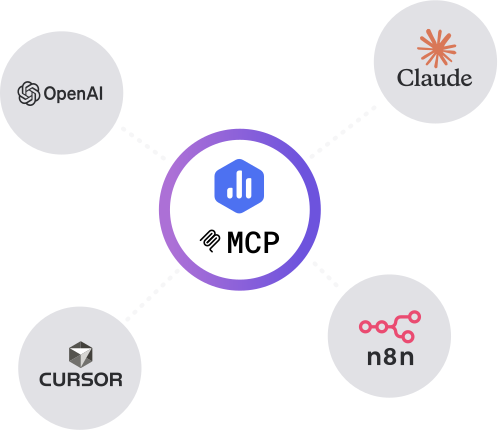
Databox MCP is the bridge between your live metrics and any AI — Claude, ChatGPT, Cursor, or any client that speaks MCP. One auth, every workspace, no scraping.
Example output
Common questions
What does Sales Target Pacing do?
It's a Claude skill that connects to your CRM through Databox via MCP and turns your monthly target into a rep-by-rep pace check — the dollar gap translated into deal counts at your own price points, a pipeline coverage check per rep, and one specific coaching line for anyone behind pace.
What does it need to run?
A Databox account with a CRM data source connected — HubSpot CRM, Salesforce, Pipedrive, or similar. First run is a short guided setup (roster, targets, pricing anchor) that's saved and reused on every later run.
What's in the output?
A self-contained HTML report: a team summary with target, gap, days left, and pace needed vs. actual — then one block per rep, sorted by percent to quota, with MTD closed, gap translated into deals, daily pace needed, open pipeline with coverage, and a coaching line that names the real problem (stalled deals vs. too few deals) when coverage is short.
Do I need a Databox account to use this skill?
Yes, ideally — and here's why it matters. Point a generic AI at a raw data export and it has to guess what your numbers mean: which conversions count, how you define an engaged session, what a "normal" week looks like. It fills those gaps with the most plausible interpretation it can find, which is often not the correct one. The skill avoids that by reading your data live from Databox through MCP, where your metrics are already standardized — one consistent definition for sessions, engagement, and conversions across your setup. The AI reads what's actually true for your business instead of inferring it, so the report is one you can trust rather than verify. You can technically run it against data you've pasted in by hand, but you lose that context layer and the output is only as reliable as the export. If you don't have an account or data source connected yet, the skill walks you through the setup.
Do I need a paid Databox plan to run this skill?
The skill is free to download. Running it requires the Databox MCP connection, which isn't included on the forever free plan. Every new Databox account starts with a 14-day free trial that includes everything the skill needs — after that, any paid plan covers it, including the Analyst plan.
Does this use live data from my connected source?
Yes — every run reads your live data directly from Databox through the MCP connection. The report reflects your current data at the moment you run it, not a cached or uploaded snapshot.
Do I need to export data manually?
No — there are no CSV exports and no copy-paste. The skill pulls your data straight from Databox through MCP each time it runs, so the report is always built from your live source.
Can agencies run this for multiple clients?
Yes — run it against each client's data connected in Databox, one account at a time, and you get the same structured weekly brief for every client. It's built to give a consistent report you can take to each client review.
Can I customize the report?
Yes. Before it runs, the skill asks a few onboarding questions — what you want to measure, the time frame, and any context that matters for the analysis — so the report is shaped to your goals from the start. After a run, you can give it feedback to adjust focus, sections, or anomaly thresholds, and reinstall the updated version so your changes carry into future runs.

Set Baseline
Set an honest, seasonality-aware baseline for any metric before a campaign — a typical-range band with confidence.
Sales Pulse
Pipeline analysis before charts. Reads your CRM through Databox and tells you what's healthy, what's slipping, and where
-

-

-

- +1
Search & Traffic Performance Skills Bundle
Three free Claude skills, one complete picture — website performance, search rankings, and AI visibility, reported from
-

-

-

- +3