
The best Power BI alternative for performance teams
Turn performance data into insights and action, with less effort
Databox brings your performance data, governed metrics, and business context together with AI, so you can analyze performance, automate recurring reporting, and act on what matters sooner.
Trusted by 20,000+ teams worldwide








Built for business teams
Compare Databox and Power BI
on what matters
| Databox | Power BI | |
|---|---|---|
| Connect your data | ||
| Cloud integrations | 130+ | Partial (ad platforms need third-party connectors) |
| Databases & warehouses | Included | Included |
| Spreadsheets | Included | Partial (Excel support) |
| Custom data via API | Included | Included |
| Trusted metrics | ||
| Prebuilt metrics | 4,000+ | Not included |
| Custom & calculated metrics | Included | Included |
| Semantic layer | Included | Included |
| Business context | ||
| Goals & OKRs | Included | Included |
| AI memory | Included | Author-set AI instructions only |
| MCP client | Included | Not included |
| Built-in analysis | ||
| Trends, comparisons & correlations | Included | Included |
| Forecasting & anomaly detection | Included | Partial (set up per line chart) |
| AI & agents | ||
| AI Analyst | Included | Partial (Copilot requires Fabric capacity) |
| Scheduled Routines | Included | Not included |
| AI-built reports | Included | Included |
| Works inside AI tools (MCP) | Included | Included |
| Reusable skills | Included | Not included |
| Agents | Coming soon | Partial (Fabric data agents, separate product) |
| Accessibility | ||
| Self-serve for the whole team | Included | Not included |
Built for business teams
Why choose Databox as your Power BI alternative
Everything your agency needs in one platform
Steps
Step 1 of 3
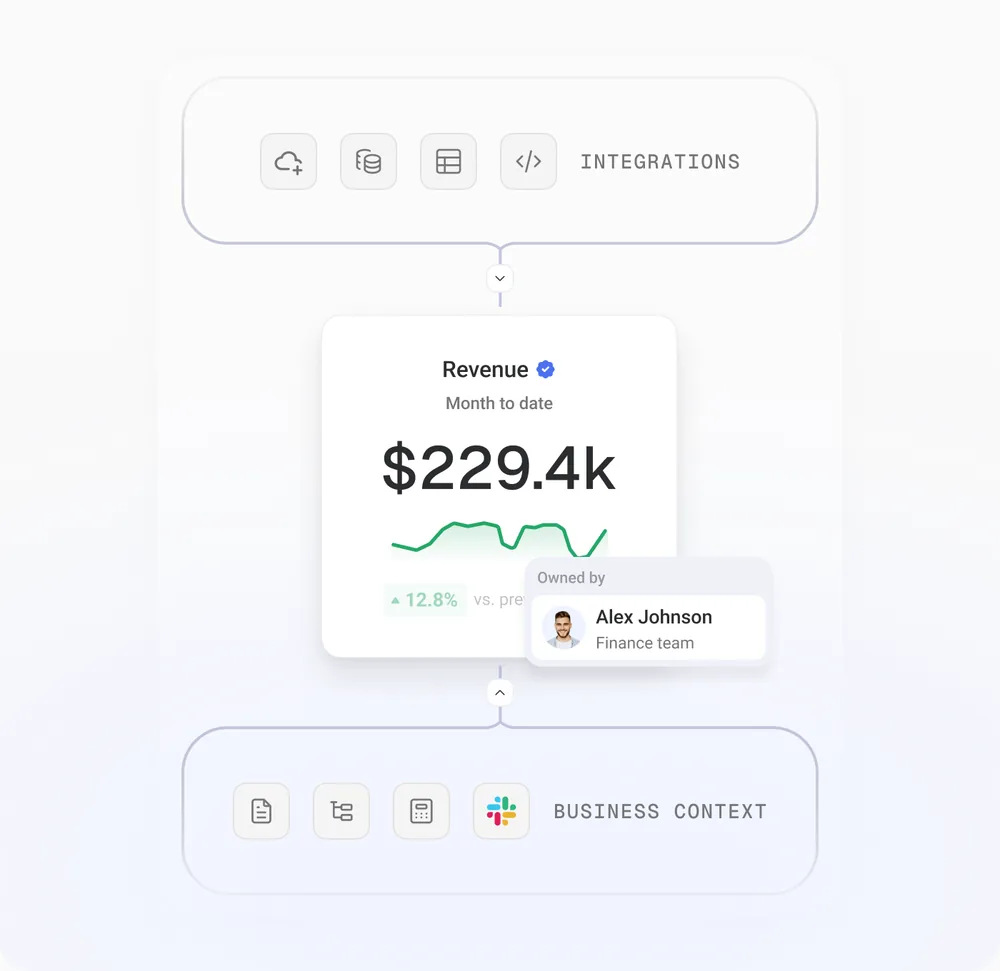
Trusted data foundation
Integrations
Connect HubSpot, Salesforce, GA4, Stripe, and 130+ other tools, plus spreadsheets, databases, and warehouses.
Semantic layer
Define how your metrics, dimensions, and sources relate, so every number means the same thing everywhere it appears.
Data governance
Give every metric an owner, a verified status, and a complete history, so your team and your AI Analyst work from data you trust.
Customer stories
Why teams choose Databox

Databox has made our data far more accessible. Non-technical team members can easily manipulate the data, visualize it, and explore it in ways we couldn’t before. Our dashboards give us visibility across the whole business and help us track metrics like MRR and churn.

Tom Maitland
Co-Founder, Raisely

I’ve used Power BI, Tableau, TripleWhale—they’re complicated and limited. Databox is simple, smart, and flexible. It’s the first tool that met all our business needs.

Evgeniy Bokhan
Founder, Hamila

We’ve been able to report more effectively, so I spend 40-50% less time doing these things. The interface is also just easier to use and simpler.

Sam Morris
Director of Marketing, Unnax

It helps to drive the culture in the company to be more data-informed. Decisions can always be backed up with data, and that’s been the biggest change.

Samuli Ahola
Director of Digital Sales, Virta
Implementation services
Switching from Power BI? Our team can handle the setup for you
Our implementation team can move your data and reporting into Databox, then build the AI workflows on top. From governed data and AI-powered analysis to reusable workflows and custom Agents, we help turn recurring client work into systems that run consistently across accounts, so every client gets more attention without increasing your team’s workload.

Still comparing tools?
Compare Databox with other tools
See it with your own data
Free 14-day trial. No credit card.
Learn more
Frequently asked questions
What is the best Power BI alternative?
Databox is one of the best Power BI alternatives for teams that want plug-and-play reporting without a data engineer. It ships 4,000+ prebuilt metrics and an AI Analyst that answers questions in plain language, while Power BI is built for technical users doing custom data modeling.
Is Databox easier to use than Power BI?
Yes. Anyone on the team can connect data, build reports, and ask questions self-serve in Databox, while Power BI typically requires a BI specialist to model data and build reports from scratch.
How does Databox pricing compare to Power BI?
Databox plans run $71–$399/month with a free plan and a 14-day free trial, covering the whole team. Power BI Pro is $14/user/month (billed yearly), so costs scale with headcount, and both the report creator and every viewer typically need a paid license to share dashboards. AI features (Copilot) require a separate Microsoft Fabric capacity on top of that — billed through Azure by region and reservation rather than a flat per-user rate — so the real cost of an AI-enabled Power BI setup is higher and less predictable than the $14/user headline price.
Can Databox replace Power BI for enterprise BI needs?
For heavy custom data modeling and enterprise-scale warehousing, Power BI remains the deeper option. Databox is the better fit when teams want fast time-to-value, governed metrics out of the box, and AI-powered analysis without building a BI practice first.
Does Databox connect to the same data sources as Power BI?
Databox connects to 130+ tools (HubSpot, GA4, Shopify, etc.), plus databases, warehouses, spreadsheets, and custom data via API — comparable source coverage without the setup overhead of third-party connectors.
Does Databox have an AI analyst like Power BI Copilot?
Yes, included for every plan. Power BI’s Copilot requires a separate Fabric capacity license, so the AI layer isn’t available out of the box the way it is in Databox.