You have more data than ever, but getting a simple answer feels impossible.
Your data lives in dashboards you can’t question and reports that are outdated the moment they’re published. You’re paying for analytics tools that most of your team never touches. And when you actually need an answer – in a meeting, on a call, right now – you’re told to wait for someone to pull a report.
You’ve probably seen the headlines: “Dashboards are dead.” I don’t buy it. After years of building analytics products at Databox, I’ve watched thousands of people get real value from dashboards every day.
But here’s what I do believe: dashboards shouldn’t be the only way to access your data.
Sometimes you need a visual overview – that’s what dashboards are great for. But sometimes you need to ask a quick question in Slack. Sometimes you need an AI agent to monitor a metric and alert you when something changes. Sometimes you need to pull data into a spreadsheet or trigger an automated workflow.
The problem with traditional business intelligence and analytics software isn’t dashboards themselves. It’s that your data gets trapped inside them, with no way out.
A new approach called Headless BI changes this. It frees your data to go wherever it’s needed – dashboards included, but not dashboards exclusively. And it’s particularly powerful for growing teams that need to move fast without hiring a data analyst for every question.
Why Your Data Is Stuck
According to a global survey of 214 data and analytics leaders conducted by BARC and Eckerson Group, only about 25% of employees actively use BI and analytics tools, and that figure has shown only minimal growth over the past seven years. That means the majority of your workforce simply ignores the dashboards you’re paying for.
Why? Because traditional BI was designed for a different era. It’s a “System of Record” – it tells you what happened yesterday, but it can’t help you do anything about it today.
If you’re a leader at a mid-size company, you’ve probably felt these pain points:
The Waiting Game. You need an answer now, but your analyst is busy with three other requests. By the time you get the data, the moment has passed.
The Wrong Question. The dashboard answers the question it was built for. But you have a follow-up. Or the context has changed. And suddenly that beautiful visualization is useless.
Data Silos Everywhere. Your marketing data lives in HubSpot. Finance is in Xero. Sales is in your CRM. You can’t see how they connect without exporting CSVs and wrestling with spreadsheets.
The fundamental problem? Traditional analytics platforms treat data as something to look at, not something to use. It’s a one-way street.
What if you could free your data from these limitations? What if your software could actually act on it?
Headless BI: The Simple Idea That Changes Everything
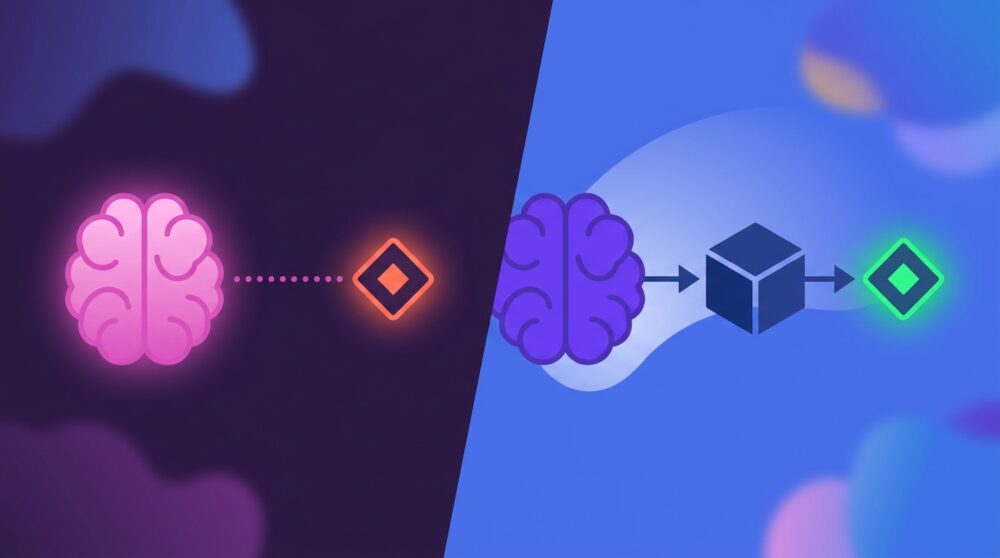
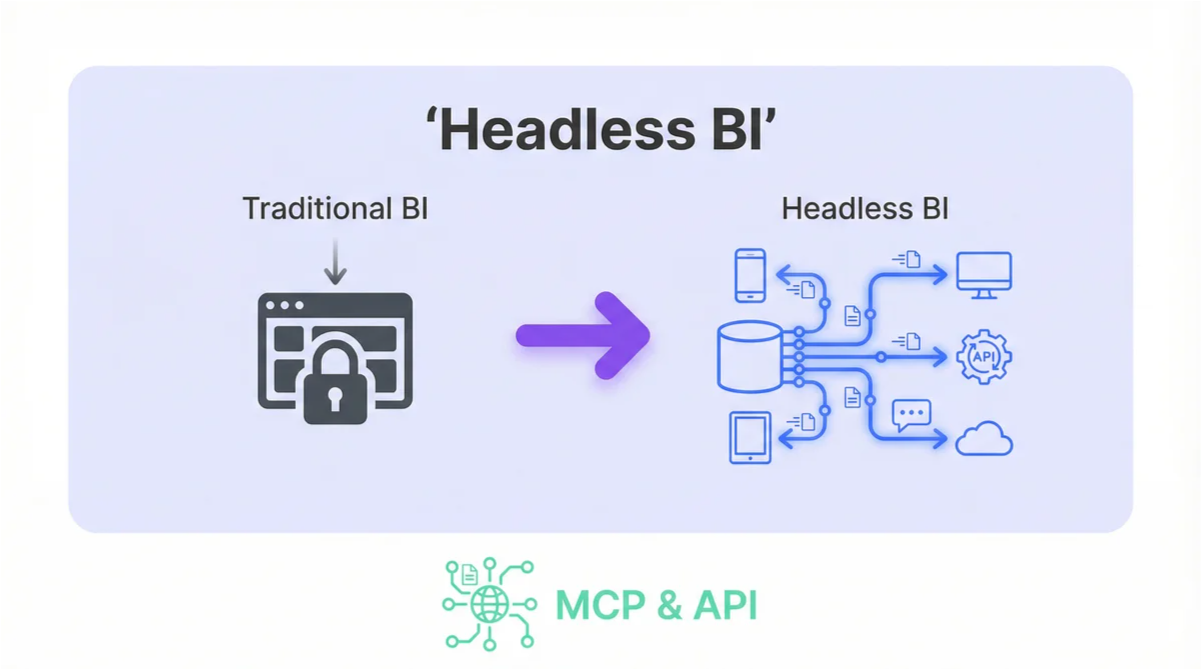
Headless BI decouples the data model (the “brain”) from the visual presentation (the “head”). Instead of your metrics being locked inside a specific dashboard, they’re defined in one central place and served via API to any tool that needs them – Slack, AI assistants, custom apps, or yes, even dashboards.
Here’s an analogy that might help: Think of it like a smart speaker. The “brain” (Alexa, Siri, Google Assistant) is separate from the hardware. That’s why you can access the same intelligence from your phone, your car, or your kitchen counter. The brain doesn’t care what device you’re using.
Headless BI does the same thing for your company’s metrics. Your definition of “Churn Rate” or “ROAS” or “Qualified Leads” lives in one place. But you can access it from anywhere – a chat interface, a spreadsheet, an automated workflow, or a traditional dashboard if that’s what you prefer.
What this means in practice: You’re no longer dependent on whoever built the dashboard. You’re not limited to the questions they anticipated. Your data becomes a resource your entire team can tap into, in whatever context they’re working.
The Magic Trio: How Headless BI Comes to Life
Headless BI isn’t magic. It’s the result of three technologies finally maturing at the same time.
1. The Universal Translator: Model Context Protocol (MCP)
Before MCP, if you wanted an AI assistant to work with your business data, someone had to build a custom integration. For every tool. For every data source. It was expensive, fragile, and most companies couldn’t do it.
MCP changes that. Released by Anthropic in late 2024, it’s an open standard that lets AI models securely connect to any data source without custom code. Think of it as the USB port for AI – a universal connector that just works.
I’ve spent a lot of time working with MCP at Databox, and the shift it enables is remarkable. What used to require weeks of engineering work now takes minutes. If a tool speaks MCP, it can talk to your data.
What this means in practice: You don’t need to wait for your vendor to build an integration with your favorite AI tool. If Claude, ChatGPT, or any other AI assistant supports MCP, it can connect to your metrics immediately.
2. The New User Interface: Conversational Analytics
Here’s the key insight: the “head” in Headless BI doesn’t have to be a dashboard. It can be a conversation.
Large language models like Claude are the engines that make this possible. They understand your questions in plain English and translate them into the precise queries your data systems need. No SQL required. No clicking through filters. Just ask.
“Which campaigns are below our ROAS target this week?”
“How does our churn rate compare to last quarter, broken down by customer segment?”
“What’s driving the dip in website traffic?”
These aren’t questions you could ask on a traditional dashboard. But they’re exactly the questions that matter when you’re trying to run a business.
3. The AI-Native Platform
This is where I’ll be direct about our perspective at Databox: we believe the platform matters as much as the protocol.
Traditional BI vendors like Tableau and Power BI are retrofitting conversational features onto architectures that are 15-20 years old. They were designed around the assumption that humans would interact with data through visual interfaces. AI connectivity is an afterthought.
Databox started as a visualization-first platform – and dashboards are still central to what we do. But in 2025, we made a deliberate shift to become AI-first. Why? Because we believe the future of analytics isn’t just seeing your data – it’s conversing with it, automating around it, and acting on it in real-time.
That belief led us to build two features that add new capabilities and the agility to move quicker for certain Databox users: Genie, an AI assistant built directly into our app that lets you ask questions about your metrics in plain English, and our MCP server, which opens up your Databox data to any AI agent or automation tool that speaks the protocol.
Our platform isn’t just a dashboard tool anymore; it’s a Data Store – a central source of truth for your KPIs that’s accessible to dashboards, AI assistants, and automated workflows alike.
What this means in practice: When you connect an AI agent to Databox, you’re working with a platform that’s actively built for this new reality – not one trying to bolt AI onto decades-old architecture.
From Theory to Reality: Headless BI in Action
Let me show you what this looks like in practice with two scenarios I see regularly.
For the Marketer: Real-Time Campaign Optimization
The old way: You launch a new ad campaign on Monday. To see how it’s performing, you wait until tomorrow’s report is generated. By Wednesday, you realize something isn’t working, but you’ve already spent two days of budget on underperforming ads.
The Headless BI way: Your AI agent monitors campaign data in real-time through Databox. You ask your AI agent like Claude: “How is the new campaign performing against the control?” The answer comes back in seconds. Better yet, you can set up the agent to proactively alert you – or even automatically pause underperforming ads based on rules you define using the n8n automation.
This is what we call the Agentic OODA Loop: Observe (data streams in), Orient (AI analyzes it), Decide (you or the AI makes a call), Act (changes happen). Traditional BI gets stuck at “Observe.” Headless BI completes the loop.
For the Executive: Instant Answers in Any Context
The old way: You’re in a board meeting and someone asks about Q3 churn by region. You say, “Let me get back to you.” You ping your analyst, who spends half a day pulling data, building a chart, and sending it over. By then, the conversation had moved on.
The Headless BI way: You open a chat with your AI agent and ask the question. It queries your Databox metrics and returns the answer in seconds. The meeting continues without missing a beat.
I’ve watched this shift happen with our customers, and it’s not just about speed. It’s about changing who gets to ask questions. When answers are instant and accessible, curiosity isn’t punished with delays. People actually engage with data instead of avoiding it.
The Read/Write Revolution: Why This Matters
Here’s the part that gets me most excited as a product manager – and it’s the detail that often gets overlooked in conversations about AI and analytics.
Most BI and analytics tools that have added AI capabilities are read-only. Power BI’s MCP implementation, for example, lets AI agents look at your data. That’s genuinely useful. But the agent can’t do anything with what it learns. It’s still a passive system.
At Databox, we made a deliberate decision to build a read/write MCP server. Our ingest_data function allows AI agents to push data back into the system, not just pull it out.
What this means in practice: Your AI agent can read a customer support email, score the sentiment, and write that sentiment score directly into Databox as a metric – no human spreadsheet work required. It can detect a problem, take action through another integration, and log what it did for future reference. It can accept “dark data” that doesn’t fit neatly into your existing systems – like competitor pricing scraped from the web – and correlate it with your internal metrics.
This is the difference between a System of Record and a System of Action. Traditional BI tools tell you what happened. Headless BI with write capabilities helps you do something about it.
Is Headless BI Right for You?
Headless BI isn’t for everyone. If your organization has strict governance requirements and dedicated analytics teams who carefully control data access, a traditional approach might serve you better.
But if you recognize yourself in these descriptions, it’s worth exploring:
- You’re tired of waiting for reports that are outdated by the time Analyst prep them
- You want your team to engage with data without requiring SQL skills or analyst support
- You’re building (or want to build) automated workflows that respond to data in real-time
- You need to correlate data from multiple sources without complex ETL pipelines
- You want AI to be a genuine productivity multiplier, not just a chatbot bolted onto existing tools
The technology is ready. MCP has standardized how AI connects to data. Large language models have made conversational interfaces genuinely useful. And platforms like Databox have built the infrastructure to make it all work together.
The question isn’t whether AI will change how you interact with business data. It’s whether you’ll be ahead of that curve or catching up to it.
Skip the complex setup of legacy BI and get straight to the answers. Try Databox for free to experience true AI-powered business analytics. Connect your sources in seconds and use our analytics MCP to chat with your data inside Claude, Cursor, and more.
Frequently Asked Questions
What is Headless BI?
Headless BI separates the metrics layer (your data definitions and calculations) from the presentation layer (dashboards and visualizations). This allows AI agents, chat interfaces, and other applications to access your data directly without going through a traditional dashboard.
How is Headless BI different from traditional BI?
Traditional BI locks your data inside specific dashboards and reports. Headless BI makes your metrics available through APIs, so any tool—AI assistants, Slack bots, custom applications—can access the same source of truth.
What is the Model Context Protocol (MCP)?
MCP is an open standard that allows AI models to securely connect to external data sources. Think of it as a universal translator between AI assistants (like Claude) and your business tools.
Does Databox support MCP?
Yes. Databox offers a read/write MCP server, which means AI agents can both query your metrics and push new data into the system. This enables automation workflows that aren’t possible with read-only implementations.
Do I need technical skills to use Headless BI?
No. The whole point of conversational analytics is that you can ask questions in plain English. The AI handles the translation to technical queries behind the scenes.
Can Headless BI replace my existing dashboards?
It can, but it doesn’t have to. Many teams use Headless BI alongside traditional dashboards—the dashboards serve as a familiar interface for certain use cases, while the conversational and API access opens up new possibilities.
References
- RevealBI Embedded Analytics Statistics – BI adoption trends
- Splunk IT Spending Report 2025 – The shift from passive to active analytics
- ThoughtSpot: What is Headless BI? – Headless BI architecture explained
- Model Context Protocol Official Documentation – MCP specification
- Databox MCP GitHub Repository – Technical implementation details