
Every team in your company has the same problem: they need answers from data, but getting them is never fast.
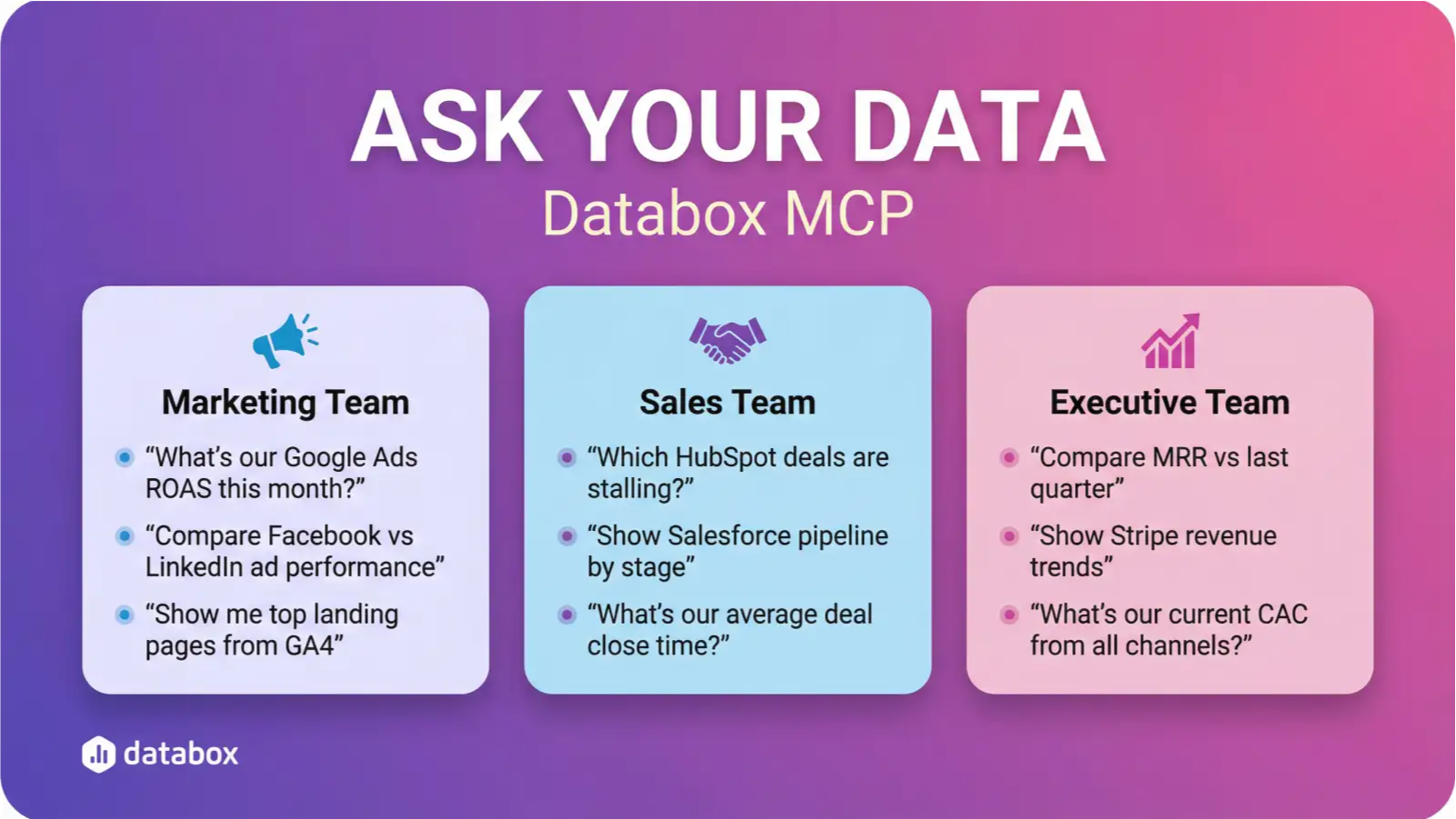
Marketing wants to know which campaigns are working. Sales wants to know which deals are stalling. Leadership wants to know if the business is on track. Each team asks different questions, but they all end up in the same place—waiting for someone else to pull the numbers.
What if your teams could just ask questions and get answers instantly?
That’s what Databox MCP enables. By connecting your business data to AI through the Model Context Protocol, any team can ask questions and get answers without waiting for reports, without learning SQL, and without building another dashboard.
Here’s how it works in practice—for marketing, sales, and leadership.
What You Can Do with Databox MCP
Before diving into team-specific use cases, here’s a quick overview of what Databox MCP enables.
Ask questions, get answers instantly. Describe what you want to know in plain language. The AI queries your Databox data and returns clear, contextual explanations—no SQL required, no dashboards to navigate.
Bring external data into Databox. With create_dataset and ingest_data, you can push any data into Databox—not just from our 100+ native integrations, but from any source. Competitor intelligence, survey results, spreadsheet exports, custom calculations. If you have it, your AI can access it.
Combine insights across tools. Merge performance data with information from other systems in the same conversation. Compare ad spend from Databox with revenue from an external file, or correlate marketing metrics with sales data from your CRM.
Automate work. Instead of checking dashboards manually, let AI do it for you. Set up workflows that monitor metrics, send alerts when thresholds are crossed, and deliver reports on a schedule—all using live Databox data.
What this means in practice: The same MCP connection that lets you ask “What was our CAC last month?” also lets an automated agent monitor your metrics overnight and alert you when something shifts. Same toolkit, different applications.
For the Marketing Team
The pain: Marketing data is scattered across Google Ads, GA4, Meta, LinkedIn, HubSpot, email platforms, and more. Getting a unified view means exporting CSVs, wrestling with spreadsheets, or waiting for someone to build a report.
Use Case: Campaign Performance Monitor
Instead of checking dashboards every morning, set up an AI agent that does it for you.
The workflow:
- Connect your ad platforms to Databox (native integrations handle this)
- The agent queries performance data daily via MCP
- When CPA exceeds your threshold or ROAS drops below target, the agent investigates
- You receive a summary: “Google Ads mobile campaigns are underperforming. CPA up 35% since Tuesday. Likely cause: new ad creative has low CTR. Recommendation: pause Creative B, increase budget on Creative A.”
The agent can also use ingest_data to log its findings, creating a historical record of anomalies and recommendations.
Use Case: Content Performance Analysis
Your blog posts, social content, and landing pages generate engagement data. But connecting that data to actual business outcomes usually requires manual analysis.
With Databox MCP:
- Pull website traffic and engagement metrics from GA4
- Pull social performance from your connected platforms
- Ask: “Which blog posts drove the most demo requests last quarter?”
- Follow up: “What topics do those posts have in common?”
- Ask: “Based on engagement patterns, what should we write about next?”
The AI can identify patterns across content types, channels, and time periods—analysis that would take hours to do manually.
Key functions: query_dataset_with_ai for analysis, ingest_data for logging insights and recommendations.
For the Sales Team
The pain: CRM data is only as good as what gets entered. Pipeline reviews happen weekly, but deals can stall between meetings. By the time you spot a problem, the quarter is already at risk.
Use Case: Pipeline Health Monitor
Set up an agent that watches your pipeline continuously.
The workflow:
- Connect your CRM to Databox
- The agent monitors deal stages, last activity dates, and close dates
- When a deal has been stuck in the same stage for longer than your average cycle time, the agent flags it
- You receive an alert: “3 deals in Negotiation stage haven’t had activity in 14+ days. Total value at risk: $127,000. Suggested action: schedule check-in calls this week.”
This catches stalled deals before they become lost deals.
Use Case: Lead Enrichment and Scoring
New leads come in, but context is limited. Who are these people? How likely are they to convert?
With Databox MCP:
- When new leads enter your CRM, an agent can pull additional context (company size, industry, recent funding, etc.)
- The agent uses
ingest_datato push enriched data back into Databox - You can then ask: “Which of this week’s leads match our ideal customer profile?”
- Or: “How do leads from the webinar compare to leads from paid ads?”
The scoring criteria live in your prompts, so you can adjust them without rebuilding a model.
Key functions: ingest_data for enrichment data, query_dataset_with_ai for scoring and analysis.
For the Executive Team
The pain: You need to know how the business is performing, but getting answers means scheduling time with department heads or waiting for weekly reports. When a board member asks a question, you’re often stuck saying “I’ll get back to you.”
Use Case: Daily Business Briefing
Instead of logging into dashboards, receive a morning summary written in plain language.
The workflow:
- An automated agent runs every morning at 7 AM
- It queries your key metrics via MCP: MRR, churn, CAC, pipeline value, cash position
- It compares to targets and previous periods
- You receive a briefing: “MRR grew 3.2% month-over-month, ahead of target. Churn ticked up slightly (2.1% vs 1.8% last month)—worth monitoring. Pipeline is healthy at $2.4M, up from $2.1M last week. No immediate concerns.”
No dashboards to check. No reports to read. Just the information you need.
Use Case: Real-Time Board Meeting Support
Board meetings generate questions. Usually, you write them down and follow up later.
With Databox MCP connected to your AI:
- A board member asks: “How does our CAC compare to six months ago?”
- You ask your AI analyst directly, in the meeting
- The AI queries Databox and responds: “CAC is currently $342, down from $398 six months ago. The improvement is driven primarily by lower paid acquisition costs—organic traffic share increased from 34% to 41%.”
Instant answers, sourced from your actual data.
Key functions: query_dataset_with_ai for on-demand questions, automated workflows for scheduled briefings.
Getting Started: Your First 30 Days
You don’t need to transform your entire analytics stack overnight. Here’s a practical rollout plan.
Week 1: Connect and Ask
Goal: Get your first answer from Databox MCP.
- Connect 1-2 sources to Databox (your CRM and one ad platform work well)
- Set up MCP in Claude Desktop or your preferred AI client
- Ask your first question: “What was our total ad spend last month?”
- Ask a follow-up: “How does that compare to the previous month?”
If you can ask questions and get accurate answers, you’re ready for the next step.
Week 2: Build Your First Automated Report
Goal: Replace one manual report with an automated one.
- Identify a report someone builds weekly (marketing performance, pipeline summary, etc.)
- Set up an n8n or Make workflow that triggers on a schedule
- The workflow prompts your AI to query Databox MCP and format results
- Output goes to Slack, email, or wherever your team checks in
You’ve now automated your first recurring insight.
Week 3: Create Your First Agentic Workflow
Goal: Move from scheduled reports to proactive monitoring.
- Identify a metric where early warning matters (CPA spikes, churn signals, pipeline stalls)
- Set up a workflow that checks this metric daily
- Add conditional logic: if the metric crosses a threshold, send an alert with context
- Use
ingest_datato log each check, building an audit trail
You now have an agent watching your data while you focus on other things.
Week 4: Roll Out to Your First Team
Goal: Expand beyond yourself.
- Pick the team with the most to gain (usually marketing or sales)
- Walk them through 2-3 questions they can ask directly
- Share the automated report you built in Week 2
- Collect feedback: what questions do they wish they could ask?
Their feedback shapes what you build next.
The Bottom Line
Databox MCP gives every team access to the same capability: asking questions and getting answers from business data, without waiting for analysts or building dashboards.
For marketing, that means campaign optimization and content analysis on demand. For sales, it means pipeline monitoring and lead intelligence. For leadership, it means real-time visibility and instant answers when stakeholders ask questions.
The teams that adopt this approach will move faster. They’ll catch problems earlier, spot opportunities sooner, and spend less time waiting for reports that arrive too late to act on.
Let your teams ask questions and get answers—instantly. Get started with Databox today.
Empower your entire team to stop waiting for reports and start getting instant answers. Try Databox for free to experience AI-powered business analytics. Connect your sources in seconds and use our analytics MCP to monitor and chat with your data directly inside Claude, n8n, and your favorite AI tools.
Frequently Asked Questions
Do I need technical skills to use Databox MCP?
No. The point of MCP is that you describe what you want in plain language—the AI handles the technical translation. Setting up the initial connection takes a few minutes with an API key. After that, you’re asking questions in natural language.
Which team should start first?
Start with the team that has the clearest pain point and the most scattered data. Marketing teams juggling multiple ad platforms are often a good fit. Sales teams frustrated by CRM reporting are another. Pick the team most likely to see immediate value.
Can Databox MCP replace our existing dashboards?
It doesn’t have to. Dashboards are still useful for monitoring known metrics and sharing standardized views. MCP adds a conversational layer—the ability to ask follow-up questions, explore data ad-hoc, and automate insights. Most teams use both.
What’s the difference between asking questions manually and setting up an agent?
When you ask questions manually, you’re in control—you decide when to ask and what to ask. An agent runs on a schedule or trigger, monitoring data continuously and alerting you when something needs attention. Start with manual questions, graduate to agents once you understand the patterns.
How does Databox MCP handle data from sources you don’t have native integrations for?
Use ingest_data to push any data into Databox. If you can export it to a CSV or pull it from an API, you can get it into Databox. This is how teams add competitor data, survey results, or metrics from niche tools.
Ready to let your teams ask questions and get answers instantly? Connect your data sources and start exploring. Get started with Databox →