

Must-Have Twitter Dashboard Examples and Templates
All X (Twitter) dashboard templates come pre-built with some of the most commonly tracked X (Twitter) metrics from the most popular tools. You can customize your templates at any time.
No credit card needed · Free-forever plan
X (Twitter) templates
Track some of the most common X (Twitter) metrics and KPIs and analyze your performance with just a few clicks.
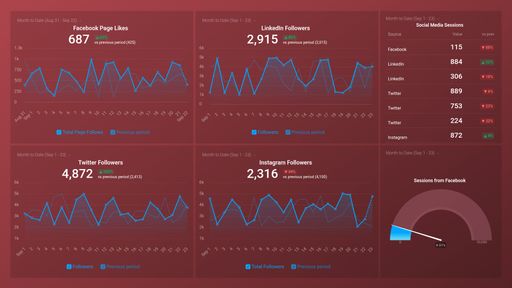
Social Media (Awareness & Engagement)
Social Media dashboard template shows activity across your 4 favorite social networks. It focuses on visitor and follower counts over various time periods.
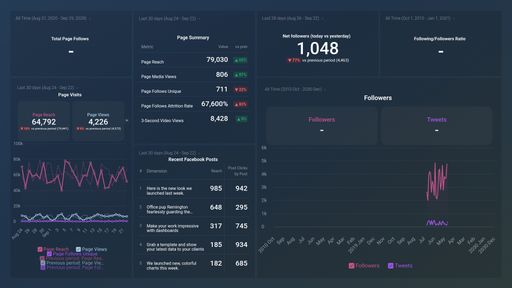
Facebook & X (Twitter) Performance Overview
The Facebook & Twitter dashboard template looks at the performance of your posts based on page views and follower counts.
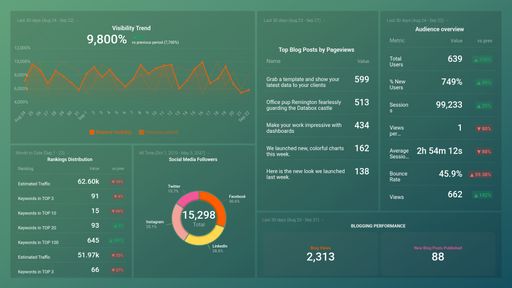
HubSpot Marketing + GA4 ATTRACT Performance
This template moves you through the Attract stage by showing your social media follows and reach, blog view performance, and overall visibility trends.
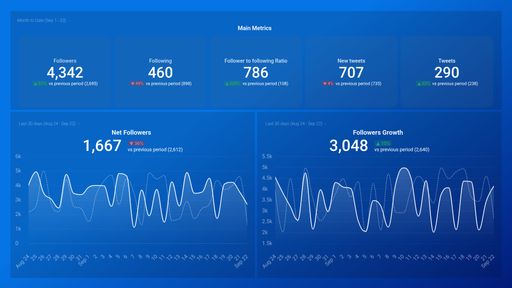
The Twitter dashboard template shows how your followers engage with your Tweets. It will track growth in likes, comments, follows, mentions and retweets.
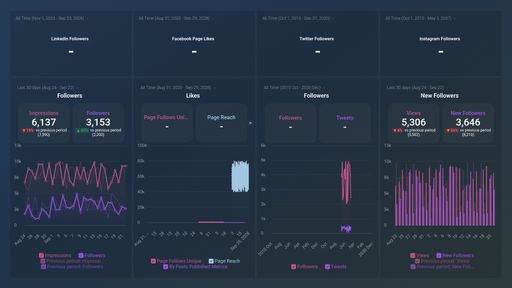
Social Networks (Growth & Engagement)
The Social Networks dashboard template integrates Facebook, Twitter, Linkedin and Instagram data. It shows daily traffic across the 4 networks and tracks follower counts..
You don't use X (Twitter)?
You can build a dashboard with any data using our 130+ one-click integrations, incl. Zapier, Make, Google Sheets, or a SQL database.
Can't find the exact template?
Build the X (Twitter) dashboard your team actually needs
Create a custom view of your most important X (Twitter) metrics – no coding or design skills required.
Centralize
See every client's performance in one place
Save account managers from hours of copy-paste reporting work.
Explore more templates...
Learn more
Frequently asked questions
What Is a Twitter Dashboard?
A Twitter dashboard displays the metrics and KPIs for your social media marketing strategy in real-time and in the form of captivating and comprehensive visualizations. By tracking your most important Twitter metrics, you will be able to gain insights that can help you further develop your marketing strategy, increase engagement, and ensure that your team and your clients hit your social media goals.
What Should Be Included in a Twitter Dashboard?
A Twitter dashboard needs to include all your most important KPIs and metrics. It should be able to answer questions like “How does my audience engage with my Twitter content?” or “How many people are my tweets reaching?” at a glance. Here are some of the metrics and KPIs to include in your Twitter dashboard – Followers, Following, Mentions, Retweets, Media Likes, website Clicks and more.