



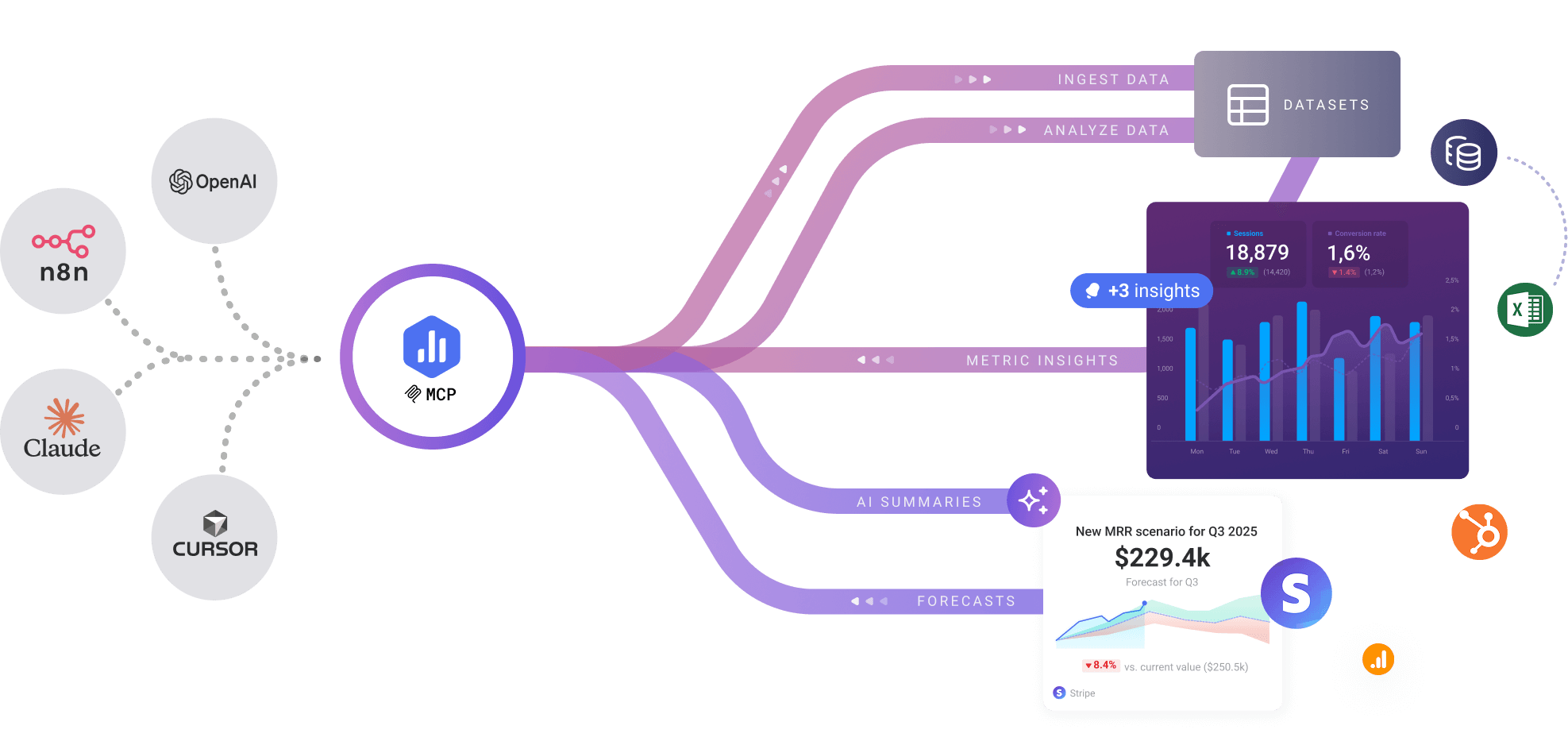




Connect Databox to Claude, n8n, Cursor, and any MCP-compatible AI tools. Ask questions in plain language, push data from any source, and get instant insights—without dashboards, SQL, or setup.
No dashboards to build. No SQL to write. No waiting on the data team.
Your AI gets answers the moment you ask.
Ask questions about revenue trends, user behavior, or campaign performance in plain English. Your AI assistant queries Databox, analyzes patterns, and explains what's driving your metrics—instantly. No dashboards to navigate, no SQL to write. Just conversation.
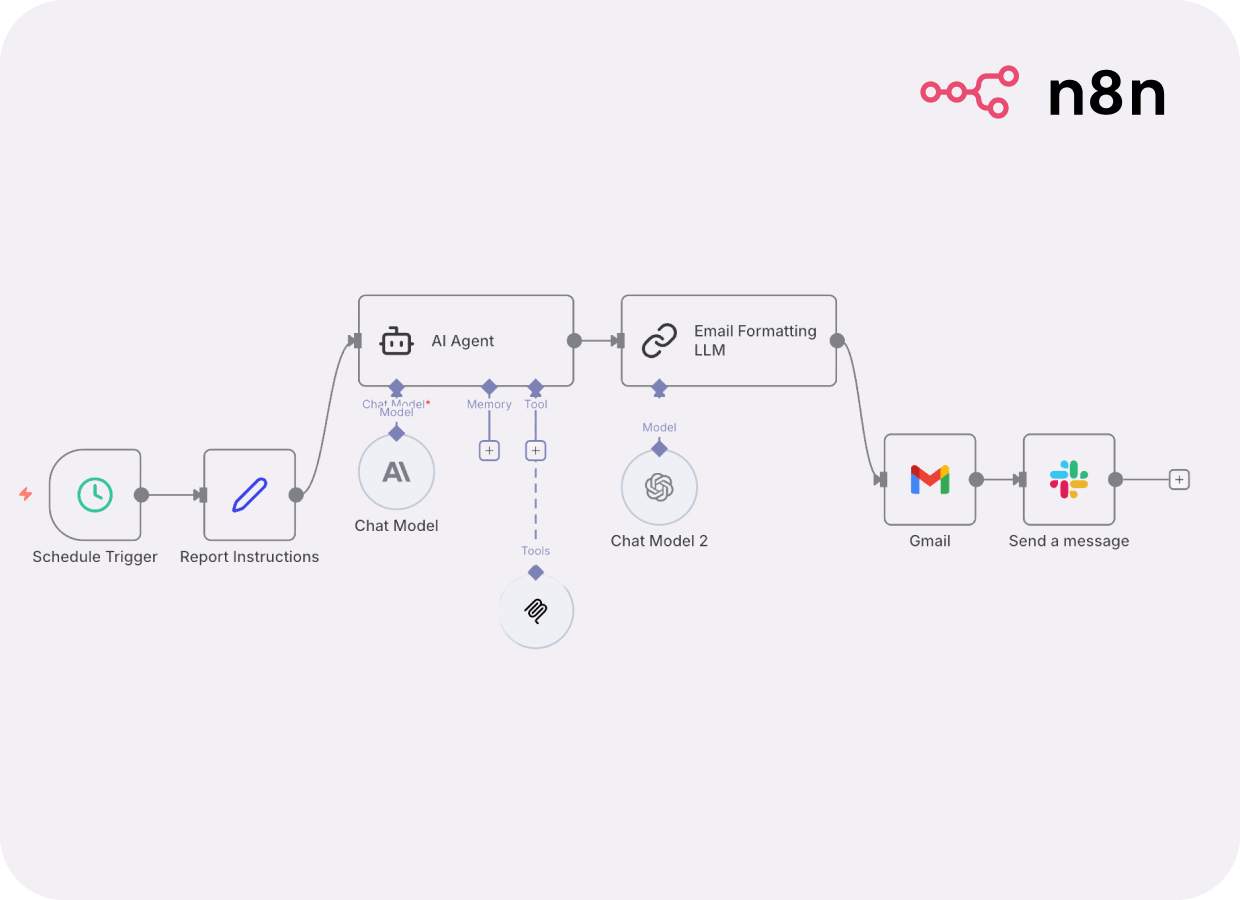
Build workflows that don't just move data—they transform and analyze it. Push data directly from your workflow or any API directly into Databox datasets - no manual exports. Then schedule AI-powered reports, trigger alerts when metrics spike or auto-generate executive summaries with AI-powered analysis. Databox MCP turns n8n into a complete BI pipeline that runs 24/7, from data collection to actionable insights.
One endpoint. Any MCP-compatible client. No complex configuration.
Already have a Databox account?
{ "mcpServers": { "databox": { "type": "http", "url": "https://mcp.databox.com/mcp", "headers": { "X-API-Key": "YOUR_DATABOX_API_KEY" } } } }
https://mcp.databox.com/mcpX-API-Key: YOUR_DATABOX_API_KEY
{ "mcpServers": { "databox": { "type": "http", "url": "https://mcp.databox.com/mcp", "headers": { "X-API-Key": "YOUR_DATABOX_API_KEY" } } } }
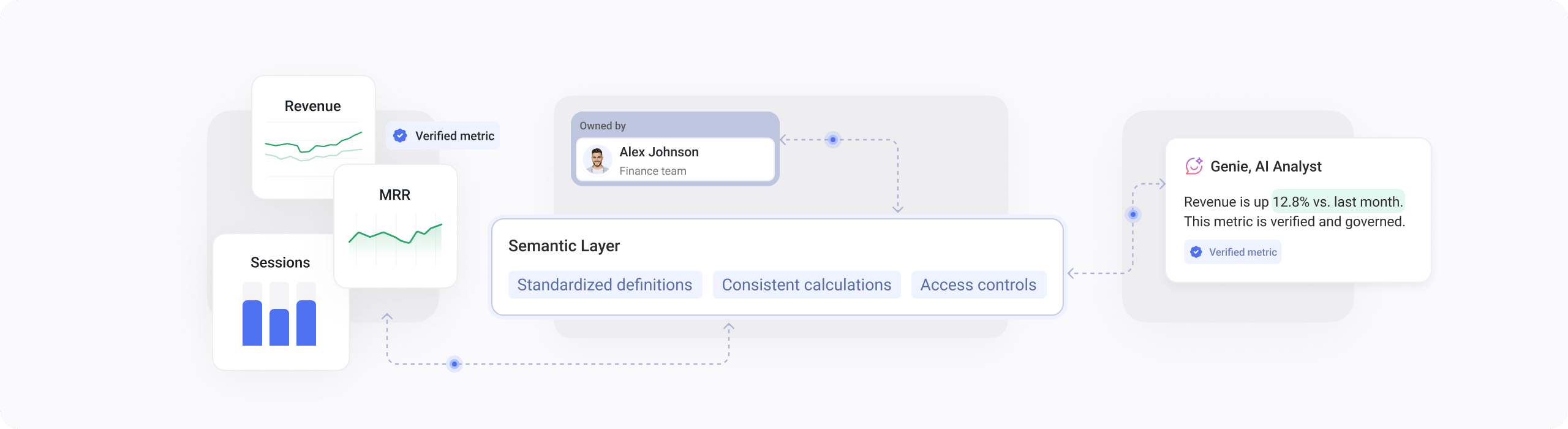
Databox removes the complicated setup, steep learning curve, and endless dashboard building. Your AI gets instant access to governed, structured data.
Connect Databox to Claude, n8n, Cursor, and any MCP-compatible AI tool in under 60 seconds.
No credit card required.
What is Databox MCP?
Databox MCP is a Model Context Protocol server that connects your AI tools (like Claude, n8n, Cursor) to your Databox data. It lets you push data from any source and query your datasets using natural language—all through your AI assistant.
How long does it take to set up?
Under 60 seconds. Just add the MCP server URL to your AI tool's configuration, paste your API key, and you're ready to start chatting with your data.
Which AI tools are compatible?
Databox MCP works with Claude Desktop, n8n workflows, Cursor, Gemini CLI, and any tool that supports the Model Context Protocol standard. New integrations are being added regularly.
Do I need coding skills to use it?
No. You can ask questions in plain English and your AI handles everything—from data transformation to analysis. However, developers can also use the full API for advanced workflows.
Is my data secure?
Yes. All connections use secure authentication with API keys. Your data stays in your Databox account with the same security and governance you already trust. The AI only accesses data you explicitly grant permission to.
What can I do with Databox MCP?
Push data from any source (APIs, spreadsheets, databases), query datasets with natural language, automate reports, detect trends, analyze patterns, and integrate Databox into your AI workflows—all without building dashboards or writing SQL.
Is it free?
Databox MCP is included for all Databox users at no additional cost. You'll need a Databox account and an API key to get started.
How is this different from using Databox dashboards?
Dashboards require manual setup and navigation. With MCP, your AI can access your data conversationally, answer ad-hoc questions instantly, and automate workflows—no dashboard building required.
Can I use this to automate reports?
Absolutely. Use n8n or similar tools to schedule queries, format results, and send reports to Slack, email, or any destination—fully automated.
What if I need help?
Check our documentation, join the community forum, or contact support. We also have video tutorials and example workflows to get you started.