Performance analysis only happens when someone has the time to do it.
Every team has performance reviews that need to happen on a regular cadence, whether that is reviewing channel performance each week or reporting to clients every month. The focus may change, but the work behind them is often very similar.
Someone needs to understand what changed, why it changed, and whether anything needs attention. Then they need to turn those findings into an update and get it to the people who need it.
But every time the review comes around, that work competes with everything else on someone’s plate. When there is not enough time, the analysis gets delayed, rushed, or skipped, and important changes can go unnoticed longer than they should.
Introducing Routines
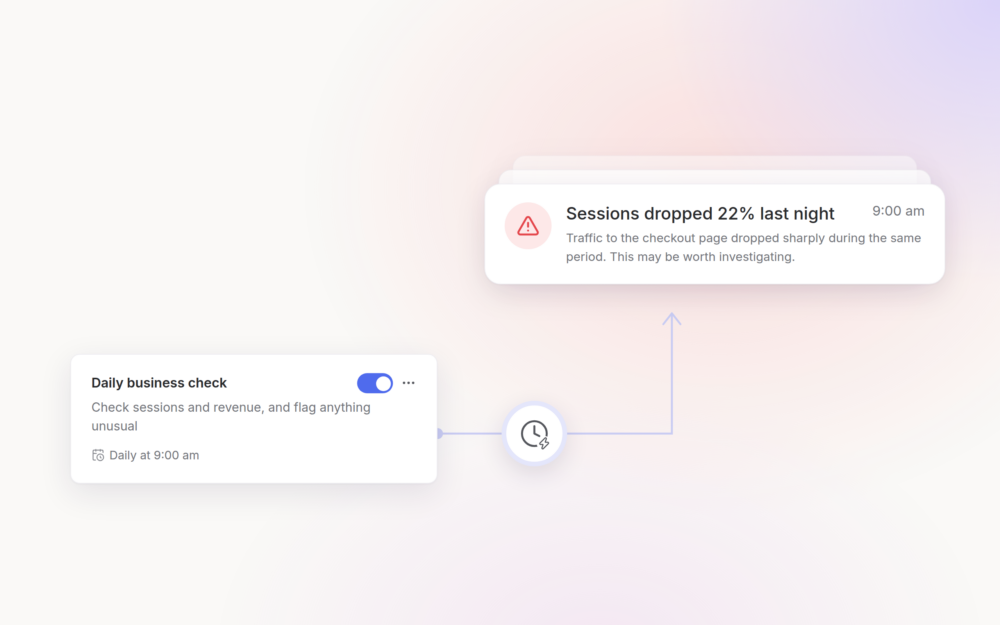
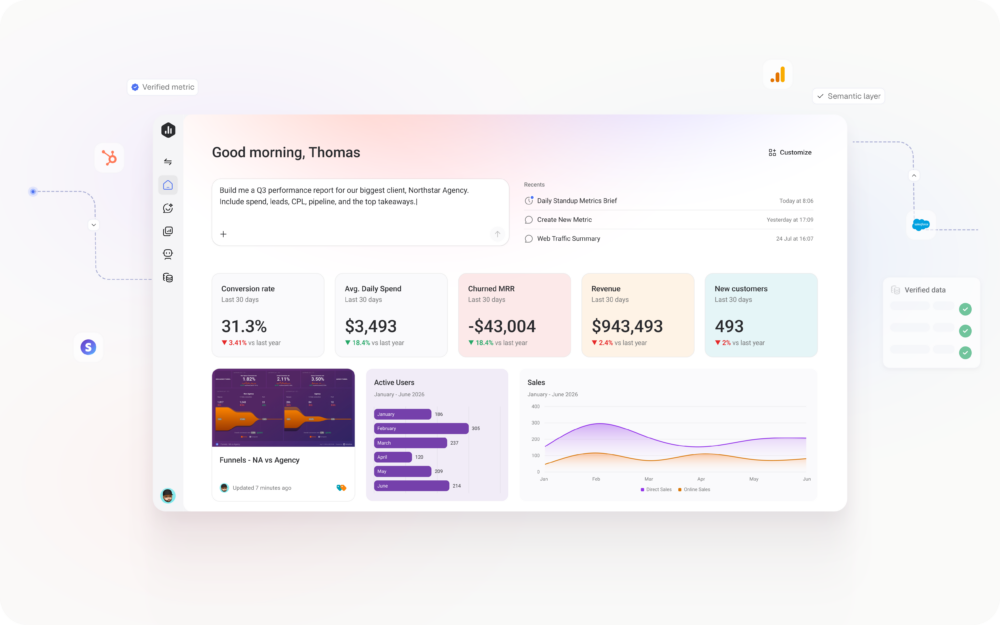
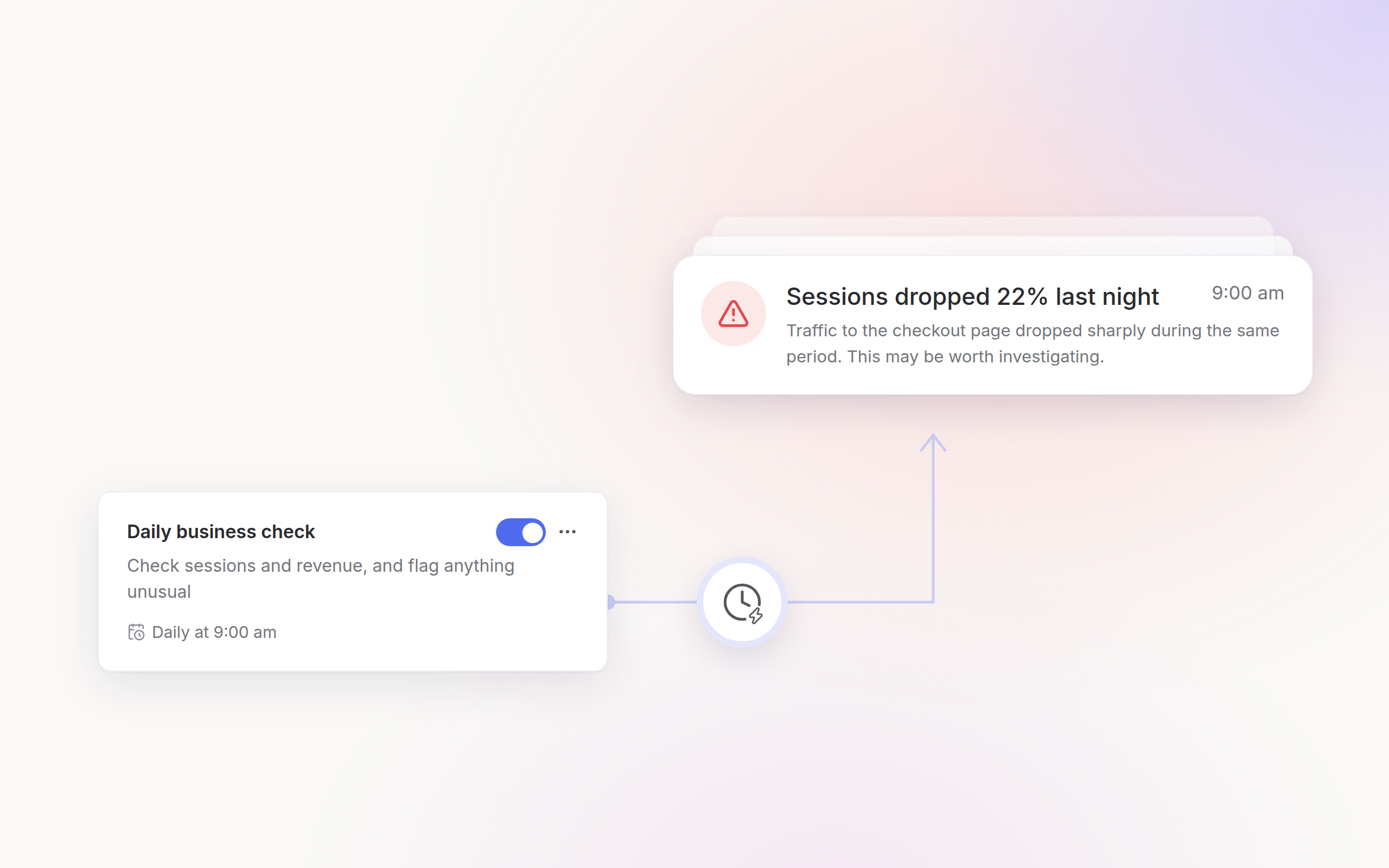
Routines put recurring analysis on a schedule. Give your AI Analyst a prompt and a cadence, and it runs the analysis using your live data and business context, then delivers the findings or finished report by email, Slack, or in-app.
Get the finished analysis when you need it
Set it up once, and your AI Analyst runs the analysis and delivers the findings every time they are due.
Create a Routine from a form or a conversation
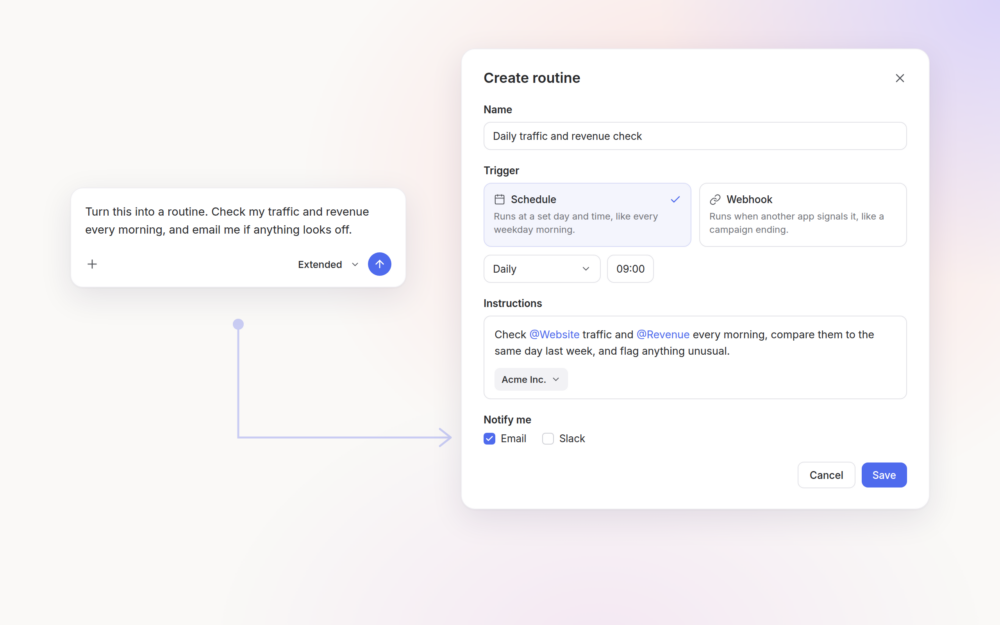
Create a Routine by filling in the name, prompt, and schedule manually. Or, ask your AI Analyst in chat to turn a prompt into a Routine.
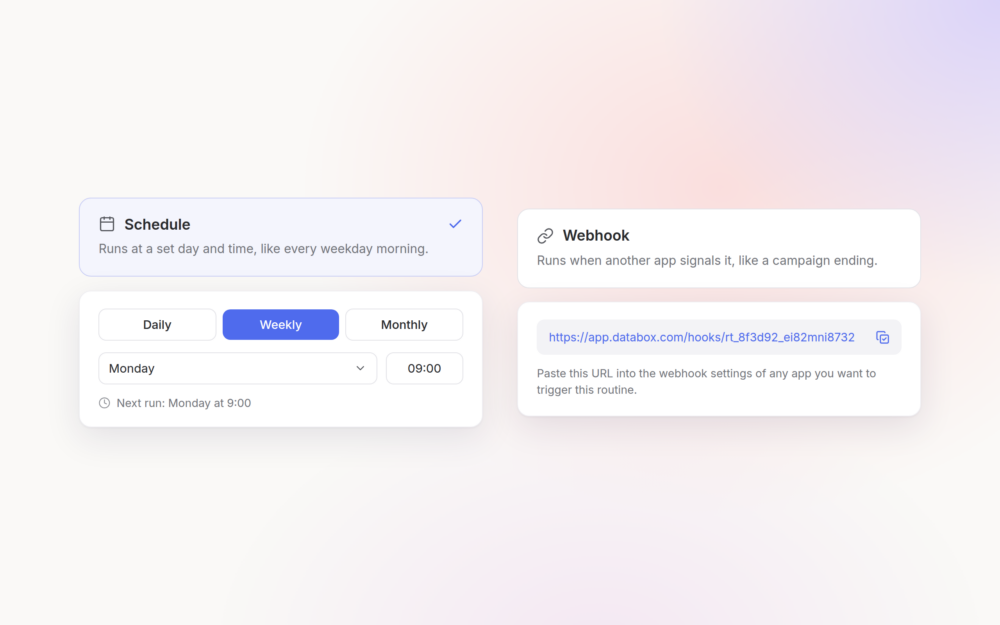
Run it on a schedule or trigger it from another system
Choose a daily, weekly, or monthly schedule, and your AI Analyst runs the prompt each time it is due. You can also use a webhook to trigger a Routine from another system, so the analysis starts when the event you care about happens.
Get the results where your team already works
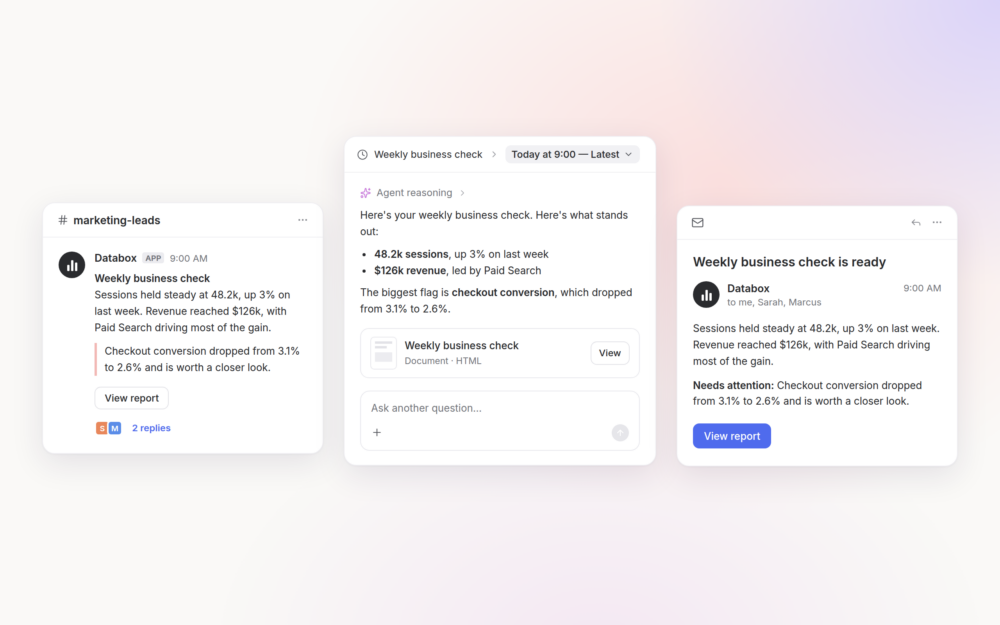
Have each run delivered by email, Slack, or in Databox with a summary of the findings. You can see whether something needs your attention before opening the full report.
Add other people to the delivery list, and everyone who depends on the analysis receives the same update at the same time.
Review every run and keep the analysis going
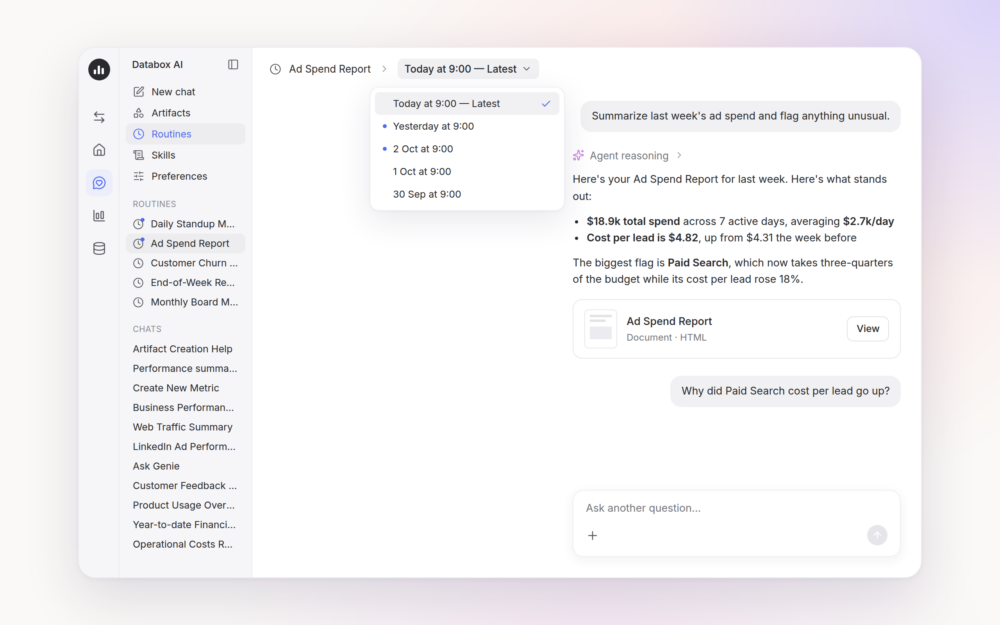
Every run is saved under its Routine in the AI Analyst sidebar. When something stands out, open the run and ask a follow-up question. Your AI Analyst continues from the analysis it already completed, so you can go deeper without starting again.
Run the same process every time with Skills
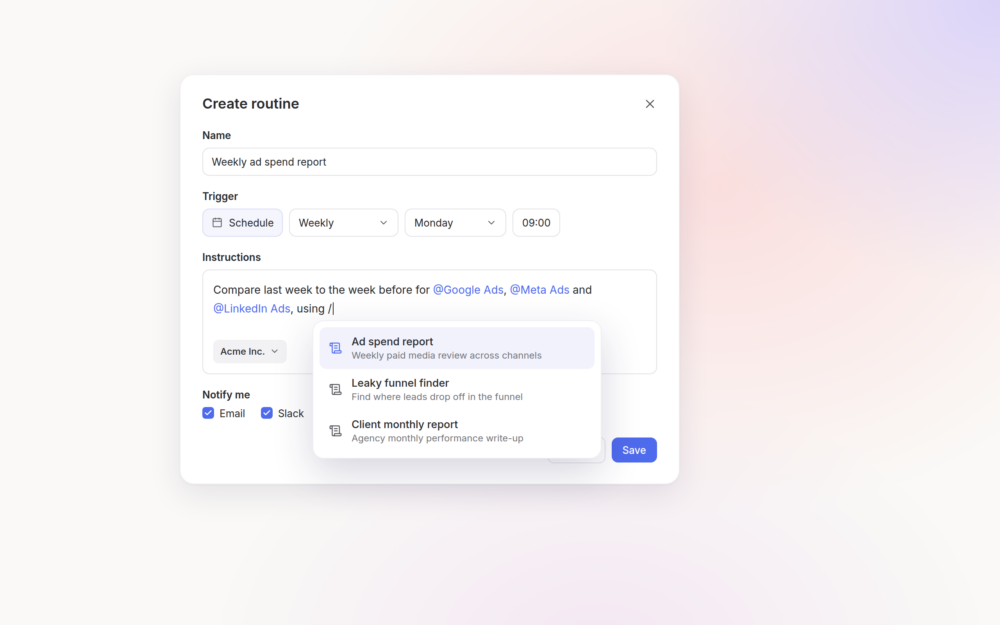
Add a saved Skill to the Routine prompt, and your AI Analyst follows that process each time it runs. The steps and standards you defined in the Skill carry into every analysis.
Keep every Routine in one place
See your Routines, triggers, delivery channels, and statuses from one place. Enable or disable them as your needs change, and review previous runs whenever you need to catch up.
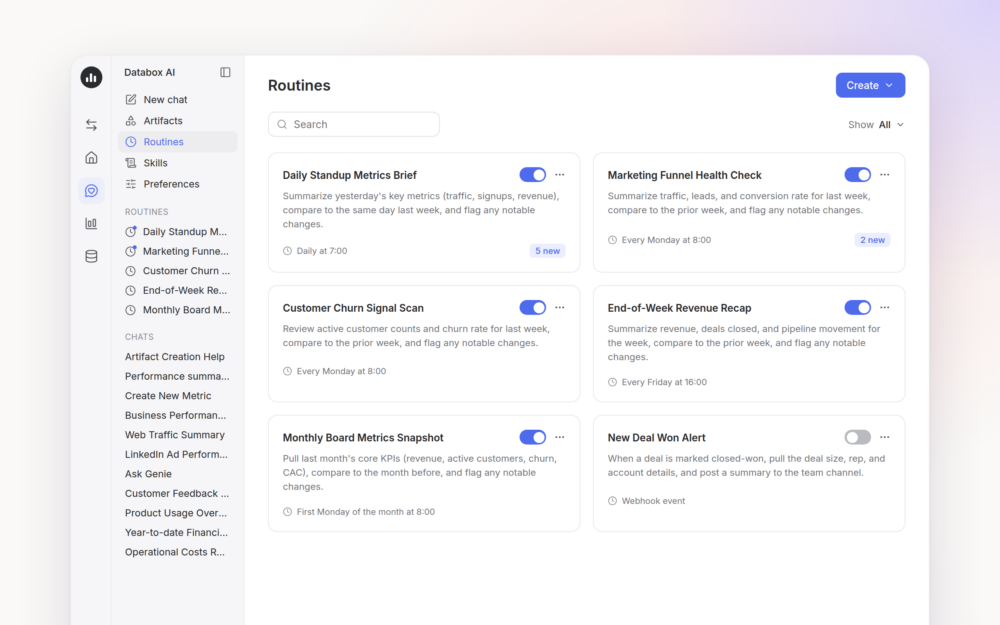
How teams put Routines to work
Any analysis or report your team or agency needs on a regular cadence can become a Routine.
- VP of Marketing: Schedule a weekly review of channel performance against pipeline goals and have it delivered to marketing and sales before the meeting. Everyone starts with the same explanation of what moved, so the meeting can focus on where to adjust.
- Agency account manager: Create a Routine for each client, scoped to that client’s data and using the agency’s reporting AI Skill. The monthly analysis is ready on schedule and follows the same process across accounts, leaving account managers more time for recommendations.
- CEO: Schedule a daily or weekly check-in on company performance and get a summary without waiting for someone to prepare it. When something needs attention, open the run and ask a follow-up question to get more detail without creating another task for the team.
From finding time for analysis to having it ready
Recurring performance reviews may follow a predictable schedule, but the analysis behind them has always depended on someone finding time to prepare it.
Routines put that work on the same cadence as the review itself. Your AI Analyst runs the analysis using the latest data and business context, then gets the findings to everyone who needs them.
The analysis is ready when the review starts, important changes surface sooner, and your team can spend its time deciding what to do next.
Start with one analysis you already repeat every week or month and put it on a Routine.