You can ask two AI tools the same question about your data and get different answers, even when both have access to the same system.
There are several reasons this can happen. Each one might run a different model, or have a different set of tools available. The data you thought was the same might not actually be the same. Or one tool might have more context about my account than the other.
I want to focus on what happens after I rule those things out: each tool still has to decide what my question means. Two tools can query the same system, retrieve real records, and return totals that don’t match because each picked a different definition of the thing I asked about. In reality, they answered two different questions.
Why You Should Care
Not so long ago, my main concern with asking an AI tool about data was whether it would invent a number when it didn’t have the answer. So I ran an experiment with Claude, both with and without the Databox and HubSpot connectors, and compared it to Genie, the AI analyst built into Databox, asking the same question under different circumstances to see what happened.
A language model has no access to my company data on its own. It reaches my CRM or analytics tool through a connection I set up, and it sees what that connection exposes. So before answering, it has to work out where the answer might live.
Since I started without giving the tools access to my data, I was expecting to catch one of them making something up. But I was pleasantly surprised. I am sure it can still happen, but it didn’t happen here. Both tools asked me to connect a source instead. I connected one, and that is where I ran into a different problem.
Before I could use any number the tools gave me, I had to work out how they had interpreted my question.
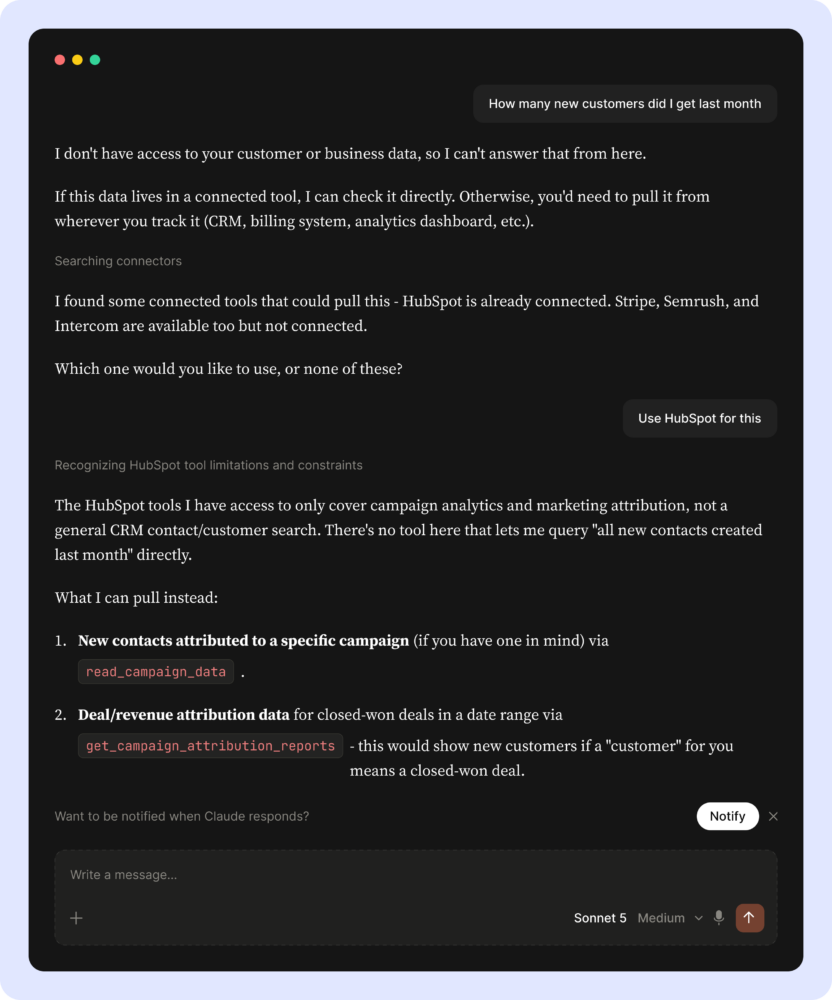
I opened a fresh incognito Claude session and asked how many new customers I got last month. Incognito keeps earlier chats and saved memories out of the conversation. Claude said it couldn’t answer from there, searched my connectors, and came back asking which one to use.
Then I asked Genie the same question, on an account where none of my connected sources track customers. It came back with a question too. It listed the integrations that carry a New Customers metric and asked me which one I wanted to connect.
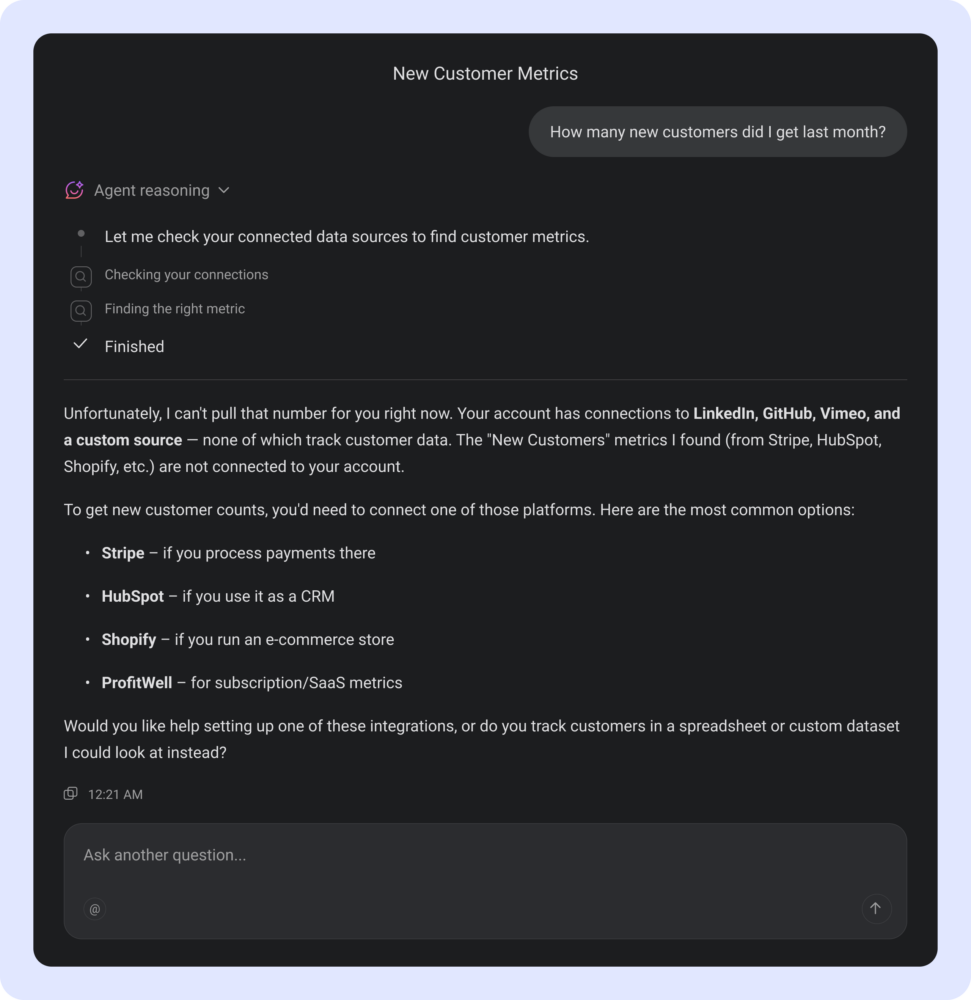
Neither tool made a number up. Both got stuck on the same thing, which was what I meant by a customer.
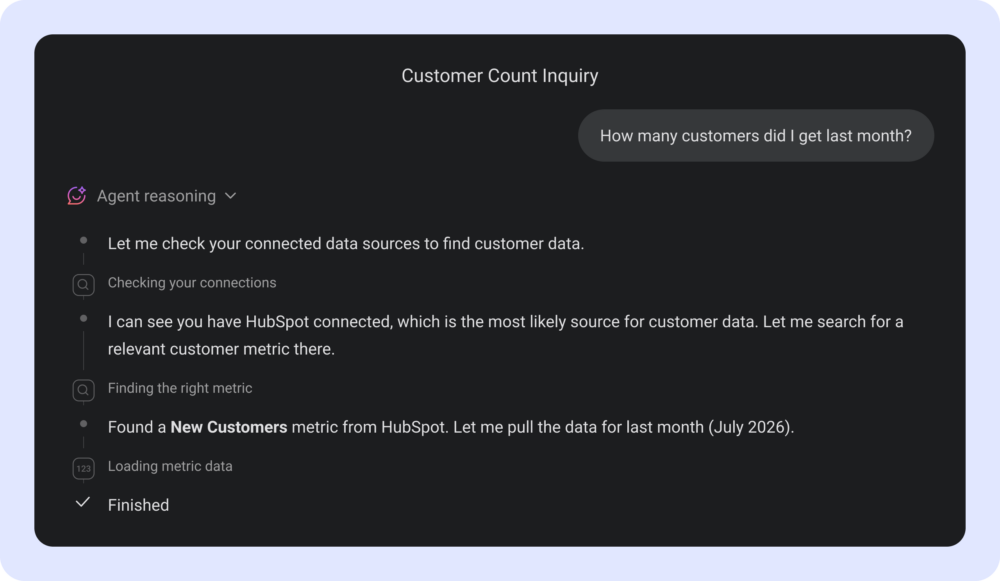
When I pointed Claude at HubSpot, it made the missing definition explicit: the tools available to it could show new customers if customer meant a closed-won deal.
That if matters.
Once I connect the source and the metric exists, the tool has something real to answer with. But the definition that blocked the answer before the connection doesn’t disappear afterwards. The tool still needs to decide what counts.
What Connecting Through MCP Actually Gives You
There are two ways to get an AI tool near my data. I can connect a service to an outside tool like Claude, usually through the Model Context Protocol (MCP), an open standard for connecting AI applications to external systems. Or I can use an agent that already lives where the data does, which is what Genie is inside Databox.
In theory, both ways look like they get me to the same data. In practice they don’t, or not to the same extent.
An MCP server gives the tool connecting to it a defined set of things it can request. Most of the services I work with have one now. Unfortunately, that set doesn’t always cover everything the service itself can do.
Asking Claude for new customers with HubSpot connected, I was told the integration had no CRM object search tool, only campaign and attribution reporting. The number I wanted was sitting in HubSpot, and nothing Claude had been given could go and get it. HubSpot can obviously search its own contacts. What its MCP server hands an outside tool is a selection of what the product can do, and that selection is what my question had to fit through.
Even when the tool can reach the data, it doesn’t know which definition of a customer I meant, and most companies have more than one in circulation. Connecting the data doesn’t settle which one counts.
With a general AI tool I supply that context myself. For one service that is manageable, but with several, each carrying its own metrics, it gets complicated fast. That may not be true of every tool, or for long, but for now it is on me.
What It Looks Like When the Tool Already Has the Context
In Databox I can point the question at a metric that already carries a definition. When I asked Genie, it went to a metric I had saved as a favourite, pulled last month, and then pulled the month before it without being asked, so I could see the two together.
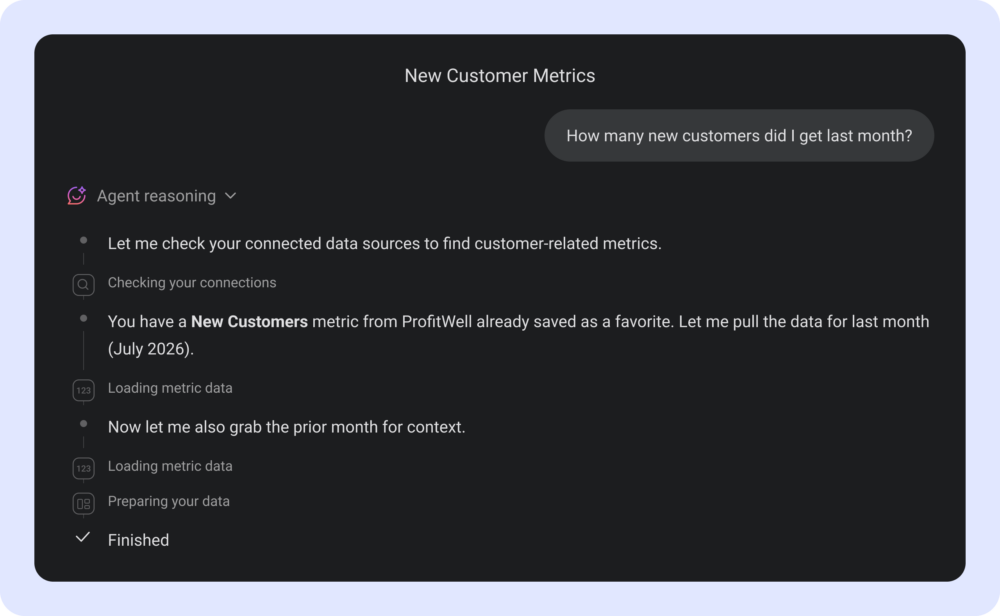
That is not a smarter model. It is a model working where the definitions already live.
What I Check Before I Quote a Number
Once an AI tool can retrieve real numbers from my systems, I’m checking for something different from before, when the main risk was hallucination. I want to know which definition it landed on, and whether that’s the one I meant. There are four things I look at: which source answered, which date field it used, what it filtered out, and what the same number looked like in the previous period.
My CRM and billing system may both contain something called a customer, and that doesn’t mean they count the same people. The date field was the whole difference when I asked the same HubSpot connection for the same July number twice: the answers came back roughly 2.7x apart, because one counted deals by the date they were created and the other by the date they closed. Both were right.
A metric that excludes trials, test accounts or internal users counts different people from one that doesn’t, and nothing in the answer tells you which you got. If a number I already reported has changed since I last looked, something upstream of it moved, and I would rather know what before I quote it again.
I only use a number if I know how it’s defined. If a metric exists and someone has decided what it means, I use that. If not, I ask in plain language, then check what the tool did before the answer goes further.
Where That Leaves Us
Connecting my data to an AI tool is worth doing. I’d rather a tool fetch a traceable number than one that sounds right. It did not save me from checking, though. It changed what I check for, and the new problem is harder to spot, because a number that answers the wrong question looks exactly like one that answers the right one.
So when two tools hand me different numbers for the same question, I don’t assume one of them is broken. They answered different questions, and the definition that told them apart was most likely not part of what I asked.
If you try this, ask the same question in the tool you already have open, then ask it somewhere else, and check whether the two agree before you trust either.
If you are building something on top of this, I’d start by counting the sources a question needs, because the same word rarely means the same thing in two of them. I’d also write down how each number I care about is defined, down to the field and the date it counts on, before a tool picks a definition for you.