

Must-Have YouTube Dashboard Examples and Templates
All YouTube dashboard templates come pre-built with some of the most commonly tracked YouTube metrics from the most popular tools. You can customize your templates at any time.
No credit card needed · Free-forever plan
YouTube templates
Track some of the most common YouTube metrics and KPIs and analyze your performance with just a few clicks.
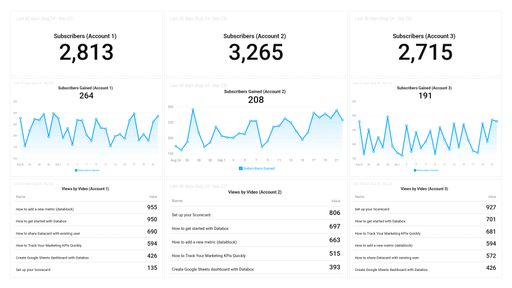
This dashboard allows you to track data from multiple YouTube channels in one place.
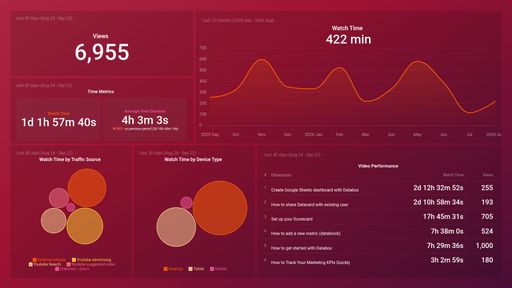
YouTube Video Watch Time Analysis
The YouTube Watch Time Analysis dashboard helps you monitor watch time across all your videos and get alerts on changes.
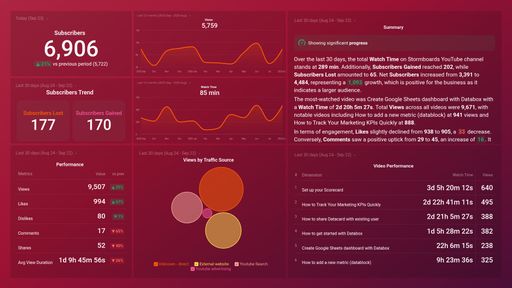
The YouTube Channel Performance dashboard makes it easy to measure video engagement with multiple metrics.
You don't use YouTube?
You can build a dashboard with any data using our 130+ one-click integrations, incl. Zapier, Make, Google Sheets, or a SQL database.
Can't find the exact template?
Build the YouTube dashboard your team actually needs
Create a custom view of your most important YouTube metrics – no coding or design skills required.
Centralize
See every client's performance in one place
Save account managers from hours of copy-paste reporting work.
Explore more templates...
Learn more
Frequently asked questions
What Is a YouTube Dashboard?
A YouTube dashboard is a valuable tool to track the success of your YouTube channel. It is a visual representation of the metrics and KPIs that give you insight into your overall engagement and performance on YouTube. You can use the data on your YouTube dashboard to advance your video posting strategies or zoom in on the areas for growth.
What Should Be Included in a YouTube Dashboard?
This depends on what data you are interested in the most. Some of the metrics your YouTube dashboard should definitely have are Subscribers, Views, Likes, Comments, Shares, and Shares. And by adjusting the date ranges on these metrics you can gain deeper insights into how successful your videos are over time.