
Scale your client base — not your reporting workload.
Databox gives agencies one place to manage all client data, automate reporting, and get instant answers about performance — in seconds, on demand. So you spend less time preparing and more time advising.
- No Credit Card
- Unlimited clients
- Unlimited users





20,000+ scaling teams & agencies drive results that matter






Spend More Time Improving Your Client’s Performance And Less Reporting It
Track all clients from one place
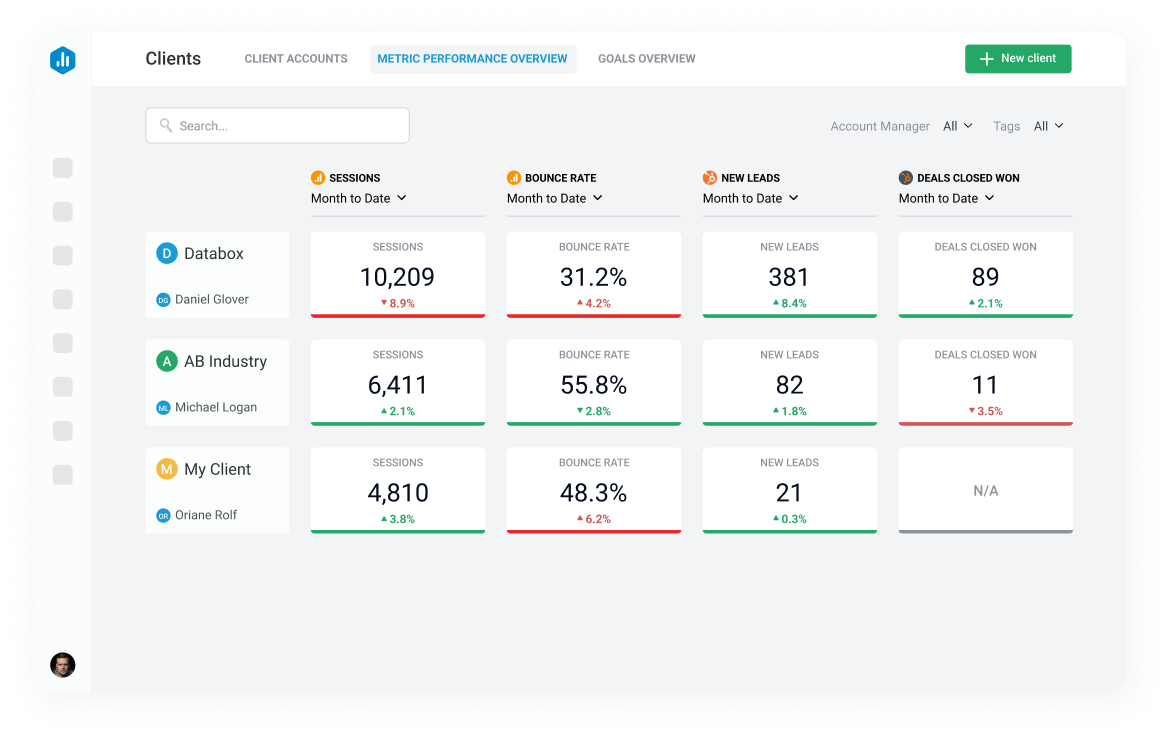
Create, manage, and switch between client accounts without losing context. Get a bird’s-eye view of every client’s performance and goals from a single screen — so you always know where to focus your energy.
- Dedicated client accounts with separate data and permissions
- Client performance and goals overview in one screen
- Bulk actions to manage multiple accounts at once
Standardize reporting & metrics
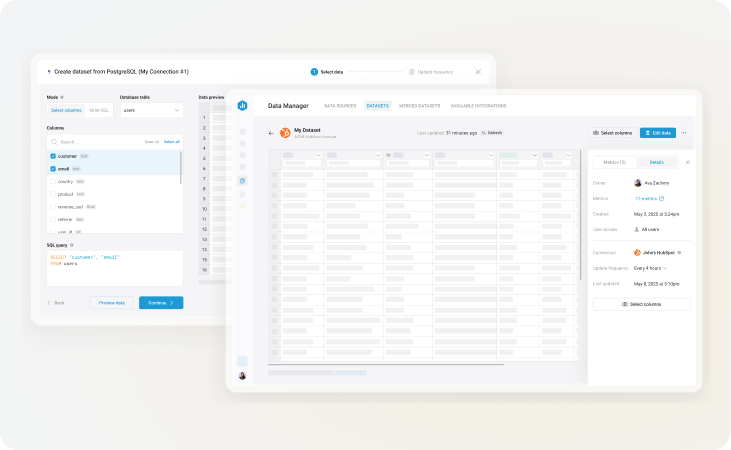
Define your agency’s KPI framework once and apply it consistently across every client. One set of definitions, one reporting standard — so your team always speaks the same language, and clients always get a consistent, professional experience.
- Build custom and calculated metrics to your agency’s definitions
- Apply the same reporting standard across every client account
- Drill down to campaign, ad-set, and ad-level data for any client
Automate reporting to save hours
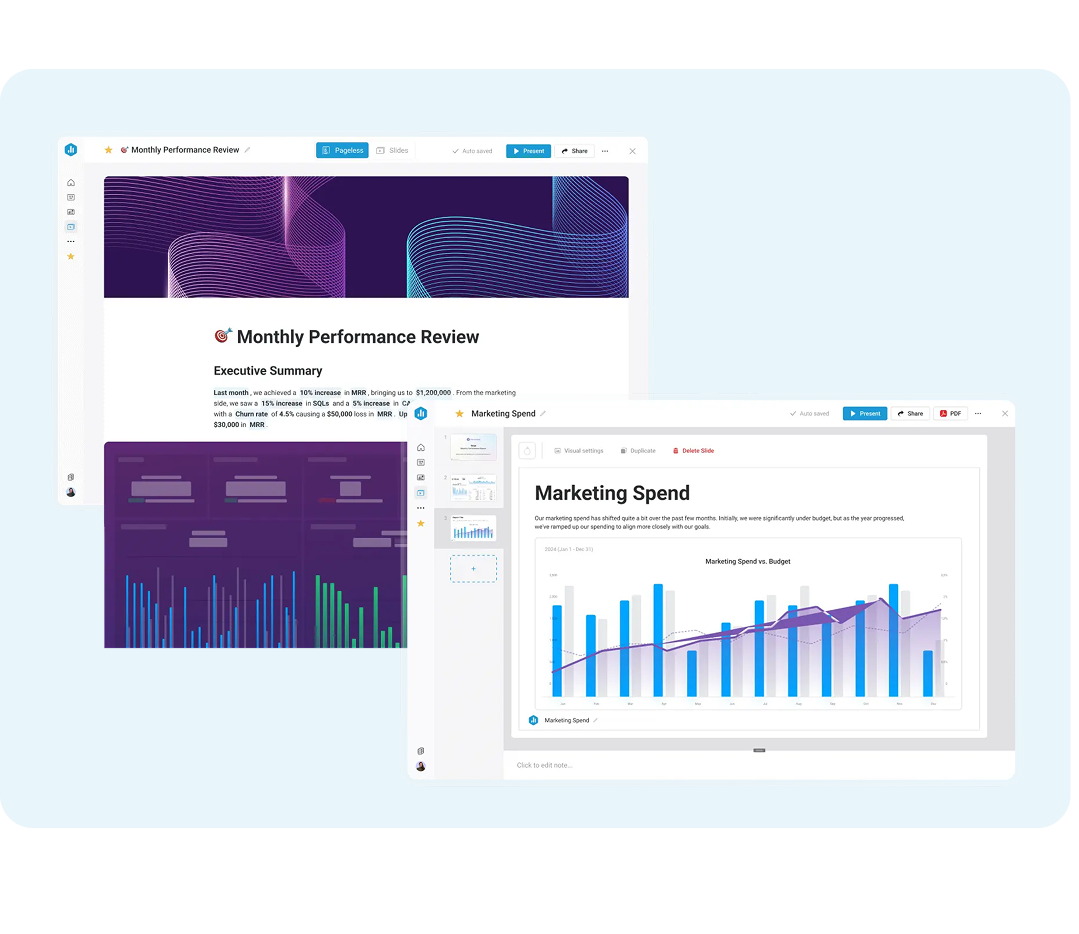
No more copying and pasting screenshots into slides. Schedule reports once and they go out automatically — via email, your client’s Slack, or a live shareable link — with data that updates itself before sending.
- Schedule reports per client, in your format, on your cadence
- Data updates automatically before each send
- Get a reminder before a report goes out so you can review it first

Build a dashboard once and reuse it
from hundreds of pre-built templates or create your own — then push updates across all client dashboards at once when something changes.
- 100s of pre-built templates for every channel and use case
- Custom account templates you can apply to new clients in minutes
- Push template changes to all client dashboards simultaneously
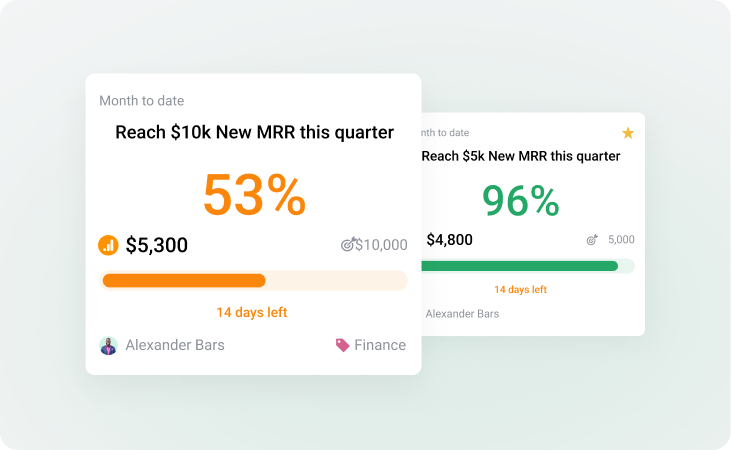
Get notified when goals are off track
Know when something important changes — before your client does. Set alerts on any metric across any client account and get notified via email or Slack the moment a threshold is crossed.
- Metric alerts with custom thresholds per client
- Smart Alerts that detect unusual patterns automatically
- Notifications to Slack or email
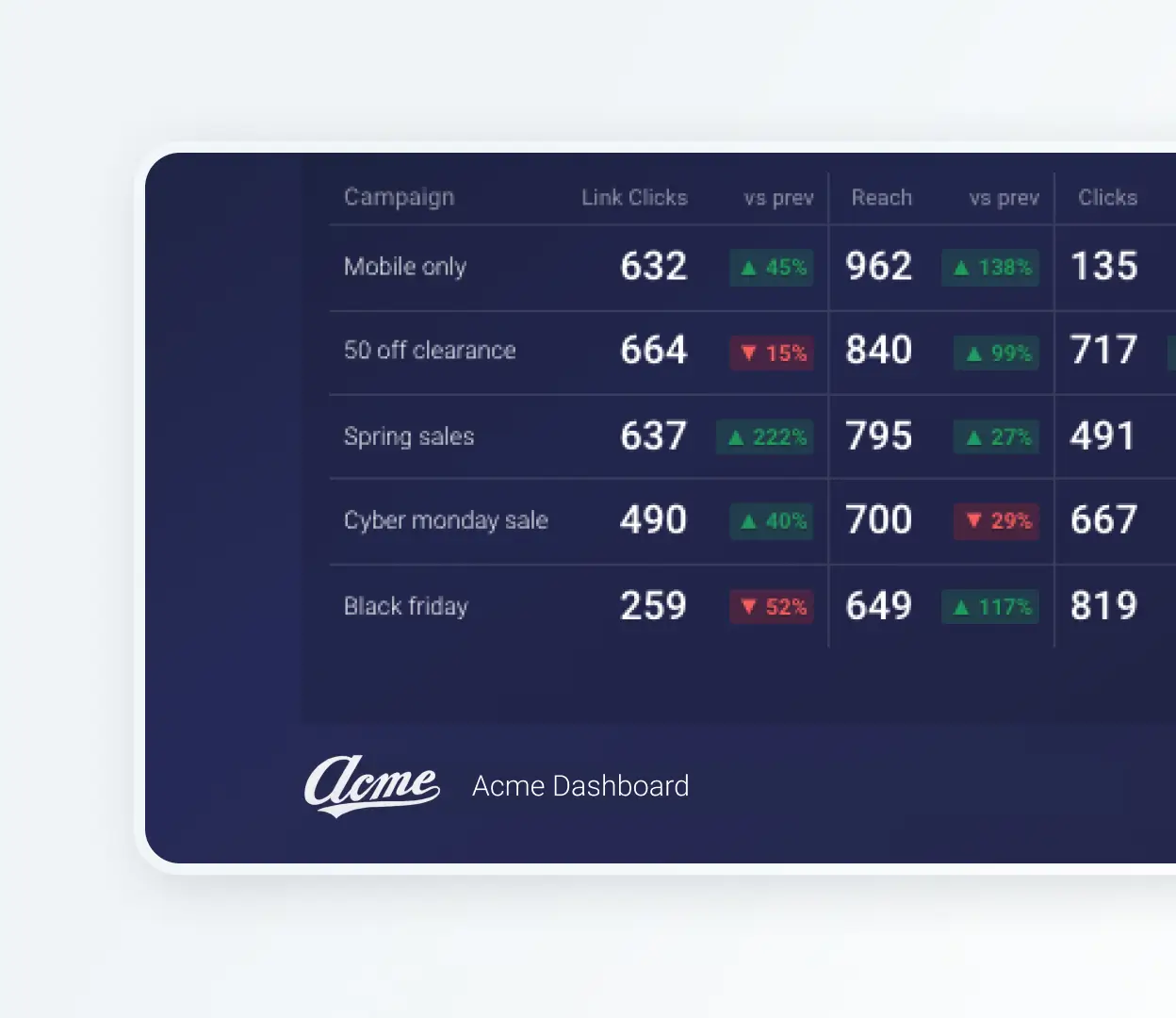
Replace Databox’s branding with yours
Your brand. Your domain. Your credibility. Clients never need to know what’s running behind the scenes — they just see a professional, branded experience that reflects your agency’s standards.
- Your logo and colors on all client-facing surfaces
- Dashboards hosted on your company’s domain
- Alerts and scorecards sent from your company’s email address
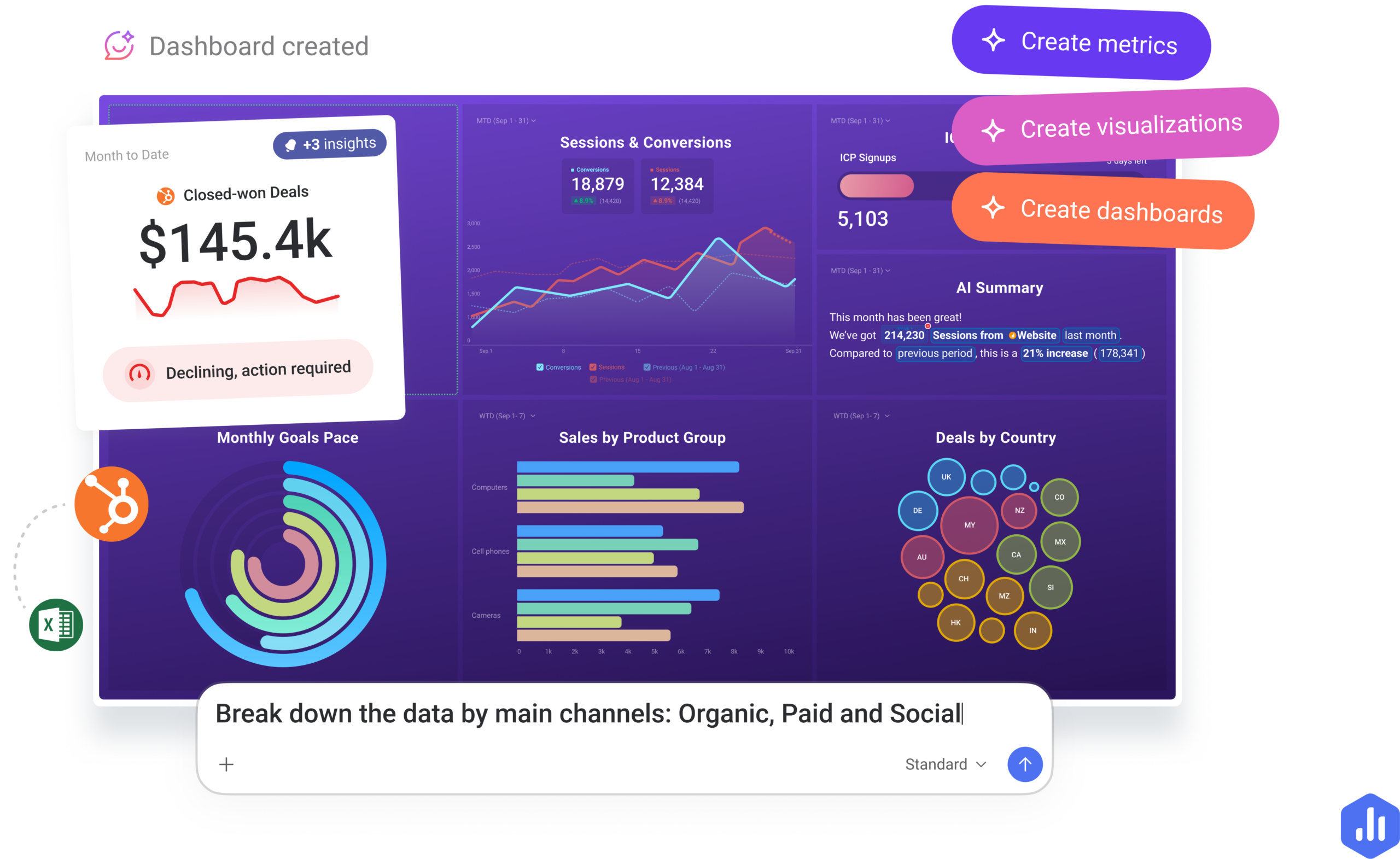
Ask questions about any client. Get answers instantly.
AI Analyst Genie analyzes your client data and tells you what’s driving performance. It’s built directly into Databox and works with the metrics your team already tracks across all client accounts.
Instead of digging through dashboards before a call or waiting for someone to run a report, you ask a question and get a clear, contextual answer in seconds.
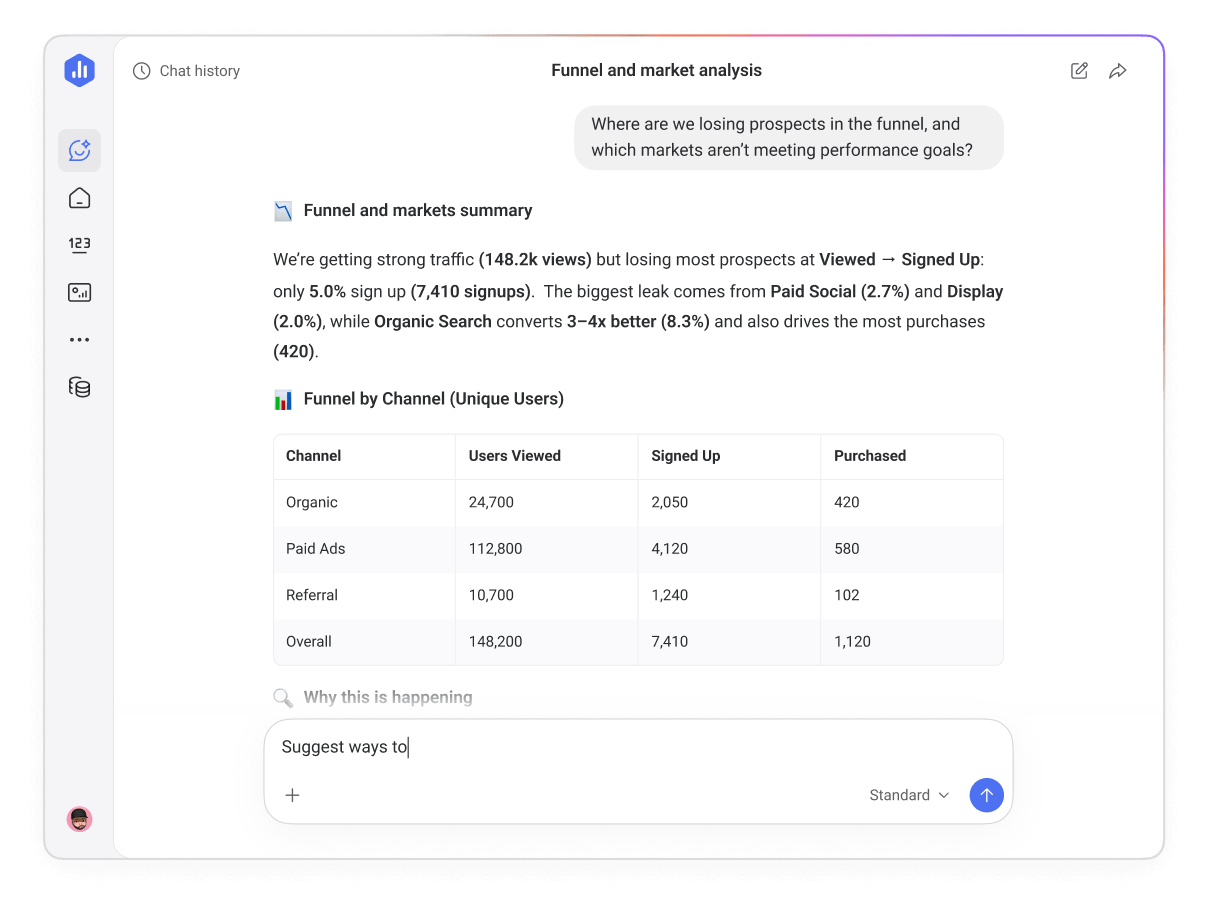
Understand what’s driving performance
Ask questions in plain language and get direct answers grounded in real data. Genie identifies trends, spots meaningful changes, and explains what’s driving performance — so you always know what’s happening before your client does.
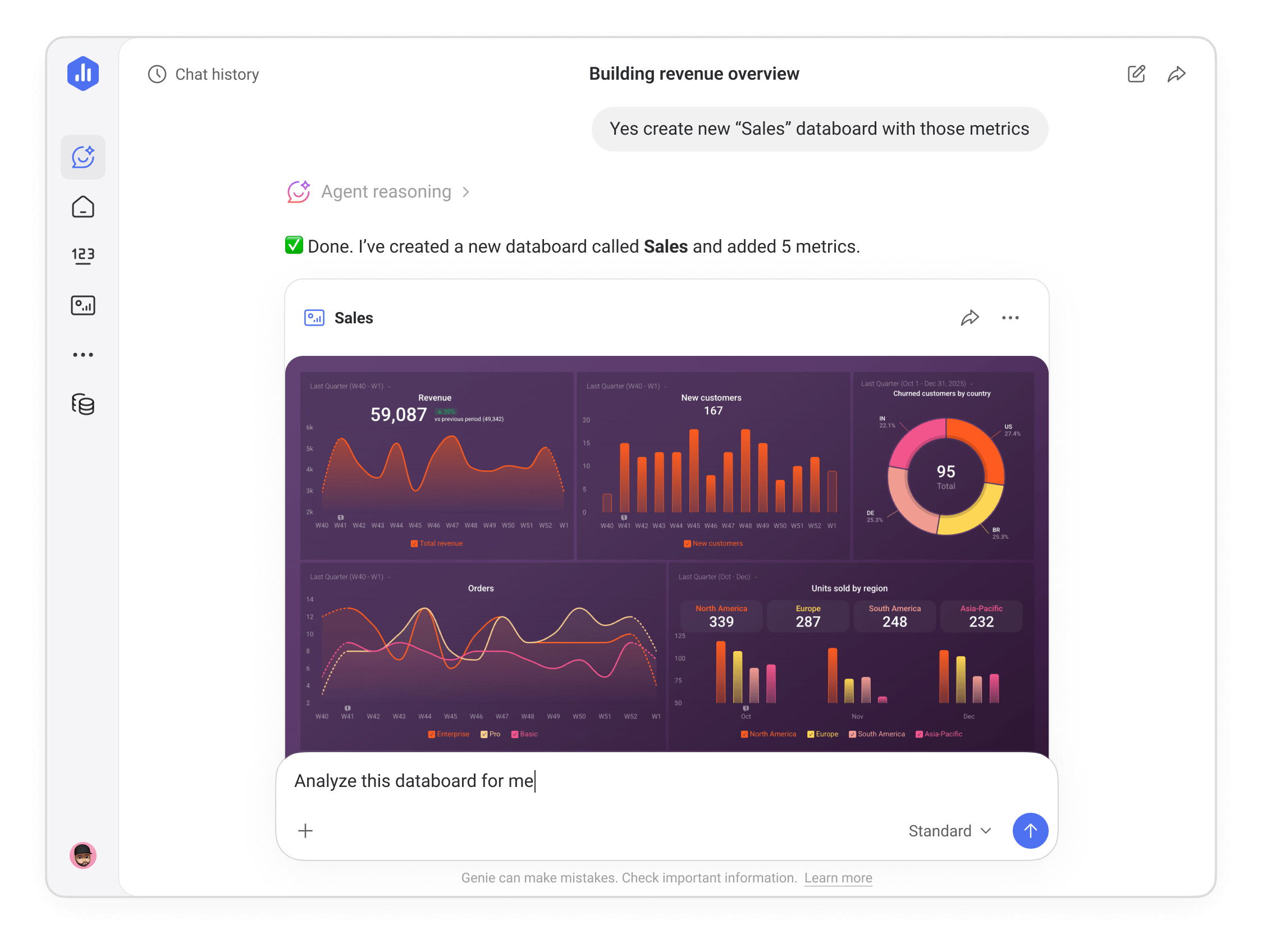
Generate metrics & dashboards
Describe what you want to see and Genie builds it — metrics, dashboards, datasets. No manual setup, no waiting for someone else to pull the numbers.
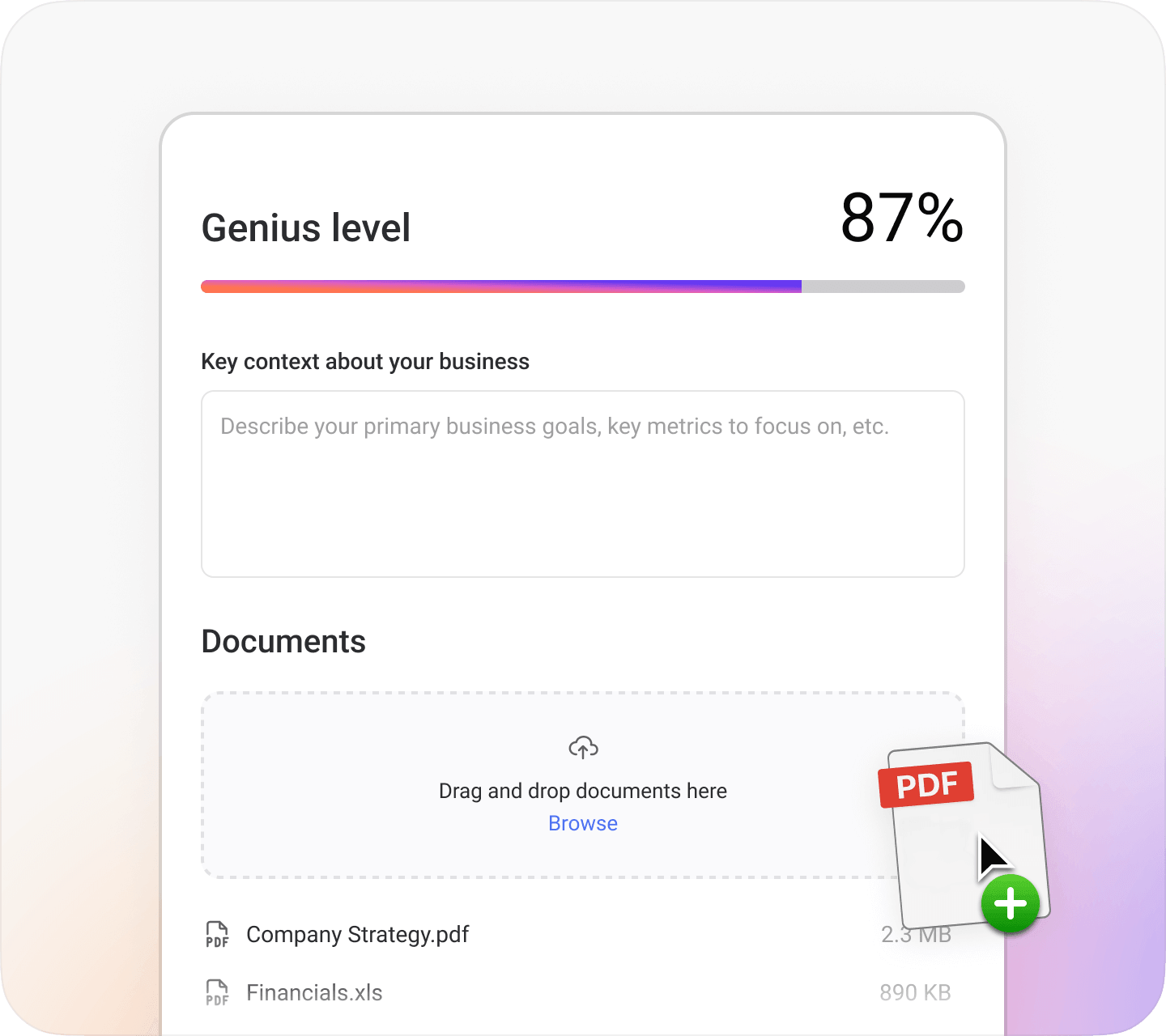
Teach Genie how your business works
Set your goals, KPI definitions, and business context once. Genie uses that knowledge in every answer — so insights feel grounded in your reality, not generic.
Why Genie? Why not ChatGPT or any LLM you already use?
Unlike general AI tools, Genie doesn’t work from pasted data or guesswork. Your client’s metrics are validated and structured before AI sees them. Your business logic is encoded so “how’s my revenue?” maps to your exact definition — not an approximation. And the math is computed by a deterministic engine, not generated by a language model.
Read more about it here.
Take your trusted Databox data into the AI tools your team already uses.
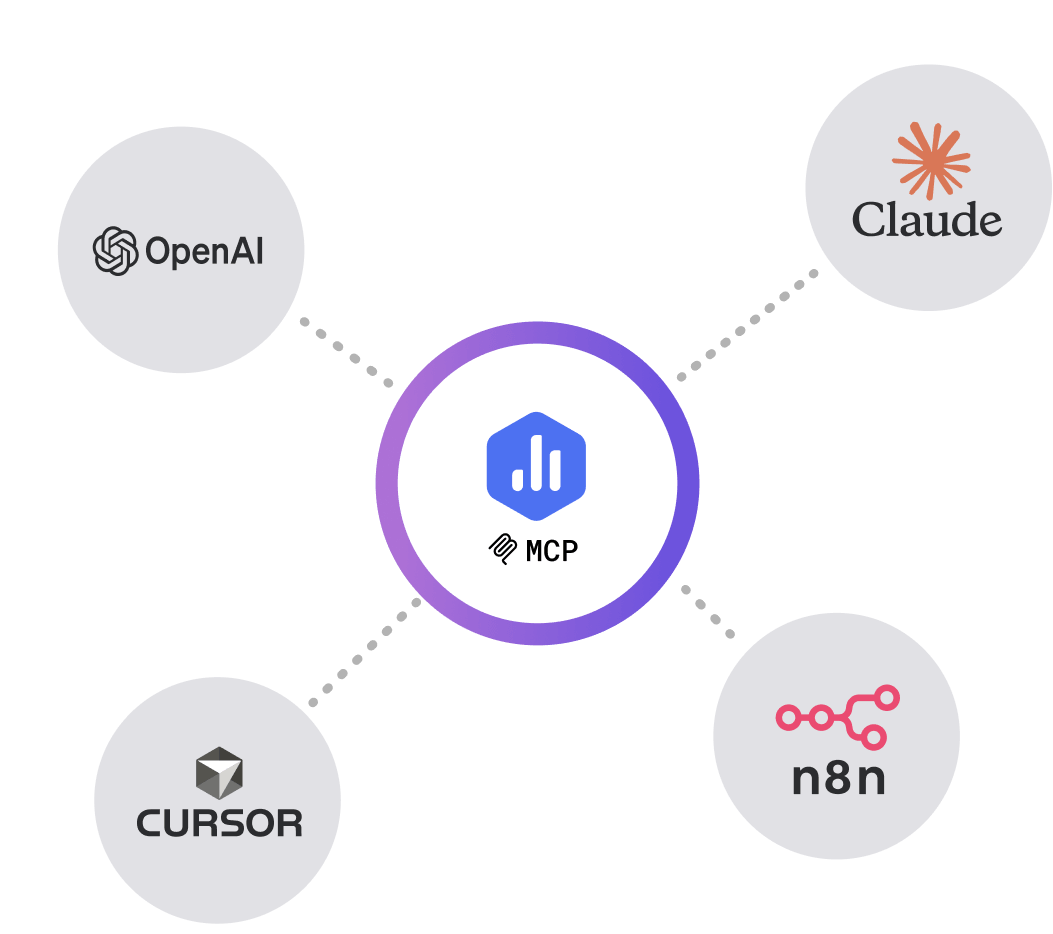
- Genie answers questions inside Databox. Databox MCP lets you bring that same validated, structured client data into external AI tools like Claude, n8n, or ChatGPT — so you can analyze on the go, push new data in, and automate workflows without ever exporting a file.
Unlimited seats & clients. Discounted pricing.
- 5 client accounts Set up dedicated client accounts to streamline and organize your reporting process.
- ∞ unlimited users Invite team members and control access by assigning roles that define what each person can see and do in Databox.
-
500
AI credits/mo
 The number of AI credits available each month to power Genie and the MCP server. Credits are shared across the account and reset monthly.
- Cloud integrations Sync data from popular tools like HubSpot, Google Analytics 4, Facebook Ads, and more.
- BI features (limited*) Build up to 10 dashboards or reports and unlimited custom metrics with access to pre-built metrics, templates, and anomaly detection.
- MCP server & API Connect Databox to AI tools like ChatGPT or Claude to access trusted metrics and trigger actions, and send data from any source using the REST API to build custom integrations and automate metric ingestion.
- Sharing & Notifications Share dashboards and reports via secure links, TV streams, or embeds, and stay on top of performance with Slack updates, scheduled snapshots, scorecards, alerts, and digests.
- Datasets Prepare custom tables of raw data from one or more sources. Apply filters and calculate new columns to analyze and visualize your data however you need.
- 3 / ∞ Data sources included / limit
- Cloud integrations
- Databox API
- 24 months Historical data
- hourly Max sync frequency
- AI analyst (Genie)
- 500 AI credits included / mo
- Performance summaries
- MCP server
- Pre-built metrics and templates
- Anomaly detection
- 10 Dashboards & reports
- ∞ Custom metrics
- Goals
- Add-on Objectives and Key Results (OKRs)
- Sharing (shareable links, stream to TV, embed)
- Notifications (scorecards, alerts, snapshots, digest)
- Slack
- ∞ Users
- Two-factor authentication (2FA)
- Add-on Fiscal calendar
- Add-on White-labeling
- Add-on Advanced security (SSO, audit log, session controls)
- 5 Sub-accounts
- Chat and email support
- Add-on Priority support
- ∞ unlimited client accounts Set up dedicated client accounts to streamline and organize your reporting process.
- ∞ unlimited users Invite team members and control access by assigning roles that define what each person can see and do in Databox.
-
1,500
AI credits/mo
The number of AI credits available each month to power Genie and the MCP server. Credits are shared across the account and reset monthly.
- All integrations Connect to 130+ cloud tools, spreadsheets, SQL and NoSQL databases, and supported APIs through custom integrations to pull data from virtually any source.
- BI features Build unlimited dashboards, reports, and custom metrics, with access to pre-built metrics, templates, and anomaly detection.
- MCP server & API Connect Databox to AI tools like ChatGPT or Claude to access trusted metrics and trigger actions, and send data from any source using the REST API to build custom integrations and automate metric ingestion.
- Sharing & Notifications Share dashboards and reports via secure links, TV streams, or embeds, and stay on top of performance with Slack updates, scheduled snapshots, scorecards, alerts, and digests.
- Datasets (limited*) Limited to creation from spreadsheets, databases and custom integrations. Dataset modification tools are not included.
- 3 / ∞ Data sources included / limit
- Cloud integrations
- Spreadsheets, databases, custom integrations
- limited* Datasets
- Databox API
- 24 months Historical data
- hourly Max sync frequency
- AI analyst (Genie)
- 1,500 AI credits included / mo
- Performance summaries
- MCP server
- Pre-built metrics and templates
- Anomaly detection
- ∞ Dashboards & reports
- ∞ Custom metrics
- Goals
- Add-on Objectives and Key Results (OKRs)
- Sharing (shareable links, stream to TV, embed)
- Notifications (scorecards, alerts, snapshots, digest)
- CSV export (datasets)
- Slack
- ∞ Users
- Two-factor authentication (2FA)
- Add-on Fiscal calendar
- Add-on White-labeling
- Add-on Advanced security (SSO, audit log, session controls)
- ∞ Sub-accounts
- Chat and email support
- Add-on Priority support
- ∞ unlimited client accounts Set up dedicated client accounts to streamline and organize your reporting process.
- ∞ unlimited users Invite team members and control access by assigning roles that define what each person can see and do in Databox.
-
4,000
AI credits/mo
The number of AI credits available each month to power Genie and the MCP server. Credits are shared across the account and reset monthly.
- Datasets Prepare custom tables of raw data from one or more sources. Apply filters and calculate new columns to analyze and visualize your data however you need.
- 15-min sync* Keep data refreshed every 15 minutes on up to 5 data sources, subject to availability based on each data source’s API capabilities.
- Forecasting Forecast the future performance of any metric for the next month, quarter, or year. Model changes to explore scenarios and turn projections into goals with one click.
- Sub-accounts Set up dedicated sub-accounts to streamline and organize your reporting process.
- Dedicated CSM Work with a named Customer Success Manager who knows your account and helps you get the most out of Databox.
- 3 / ∞ Data sources included / limit
- Cloud integrations
- Spreadsheets, databases, custom integrations
- Datasets
- Databox API
- ∞ Historical data
- 15 min* Max sync frequency
- AI analyst (Genie)
- 4,000 AI credits included / mo
- Performance summaries
- MCP server
- Pre-built metrics and templates
- Anomaly detection
- ∞ Dashboards & reports
- ∞ Custom metrics
- Goals
- Objectives and Key Results (OKRs)
- Forecasting
- Sharing (shareable links, stream to TV, embed)
- Notifications (scorecards, alerts, snapshots, digest)
- CSV export (datasets)
- Slack
- ∞ Users
- Two-factor authentication (2FA)
- Fiscal calendar
- Add-on White-labeling
- Add-on Advanced security (SSO, audit log, session controls)
- ∞ Sub-accounts
- Chat and email support
- Dedicated CSM
- Add-on Priority support
- ∞ unlimited client accounts Set up dedicated client accounts to streamline and organize your reporting process.
- ∞ unlimited users Invite team members and control access by assigning roles that define what each person can see and do in Databox.
-
10,000
AI credits/mo
The number of AI credits available each month to power Genie and the MCP server. Credits are shared across the account and reset monthly.
- White-labeling White label Databox to offer clients your own custom branded reporting solution
- Advanced security Enforce SSO and two-factor authentication across the account, monitor activity with audit logs, and manage active sessions and login records.
- Single sign-on (SSO) Let team members access Databox through the company’s existing identity provider, reducing password management overhead and keeping access under centralized IT control.
- Account setup Get hands-on help configuring Databox to match your reporting needs from day one.
- Priority support Skip the queue and have support cases handled ahead of standard requests.
- 50 / ∞ Data sources included / limit
- Cloud integrations
- Spreadsheets, databases, custom integrations
- Datasets
- Databox API
- ∞ Historical data
- 15 min* Max sync frequency
- AI analyst (Genie)
- 10,000 AI credits included / mo
- Performance summaries
- MCP server
- Pre-built metrics and templates
- Anomaly detection
- ∞ Dashboards & reports
- ∞ Custom metrics
- Goals
- Objectives and Key Results (OKRs)
- Forecasting
- Sharing (shareable links, stream to TV, embed)
- Notifications (scorecards, alerts, snapshots, digest)
- CSV export (datasets)
- Slack
- ∞ Users
- Two-factor authentication (2FA)
- Fiscal calendar
- White-labeling
- Advanced security (SSO, audit log, session controls)
- ∞ Sub-accounts
- Chat and email support
- Dedicated CSM
- Priority support
- Account setup
- Security & compliance review
Trusted by 20,000+ growing businesses



Frequently asked questions
Can I manage multiple clients from one Databox account?
Yes. Databox is built for multi-client management. You can create dedicated accounts for each client, view all their performance and goals from one screen, and switch between accounts without losing context. All paid plans include unlimited client accounts.
Can I white-label dashboards and reports for clients?
Yes. The white-label add-on lets you replace Databox branding with your own — on dashboards, reports, the mobile app, and email alerts. Clients see your logo, your colors, and dashboards hosted on your domain.
Can I reuse dashboard and report templates across clients?
Absolutely. You can create custom templates and apply them to new client accounts in minutes. When you update a template, you can push those changes to all dashboards or reports built from it at once — no manual updates per client.
How does Databox handle client data separation?
Each client has its own dedicated account with separate data, dashboards, and permissions. You control what each client can see, and client data is never mixed between accounts.
What integrations are most useful for agencies?
Databox integrates with 130+ tools. The most commonly used for agency work include Google Analytics 4, Google Ads, Facebook Ads, LinkedIn Ads, HubSpot, Salesforce, Pipedrive, and Stripe. You can also connect databases, spreadsheets, and custom APIs for clients with more complex data setups.
Can I use Databox MCP to automate client reporting workflows?
Yes. Databox MCP lets you connect your client data to AI tools like Claude, ChatGPT, and automation platforms like n8n and Make. You can build custom workflows that run on real client data — like automatic Slack summaries, task creation when metrics drop, or triggered check-ins when goals fall off track.
What is the Databox MCP
Databox MCP (Model Context Protocol) lets you bring your Databox data into the AI tools your team already uses — like Claude, ChatGPT, or n8n. Instead of manually exporting data or pasting numbers into an AI chat, MCP connects those tools directly to your live metrics. So every AI interaction is grounded in real, up-to-date performance data.
Do you offer a yearly discount?
Yes. Upgrade to a yearly subscription and get 20% off.
What tools does Databox integrate with?
Databox integrates with 130+ tools, including HubSpot, Salesforce, Google Analytics 4, Stripe, QuickBooks, Facebook Ads, LinkedIn Ads, Google Ads, and more. It also supports databases and warehouses (BigQuery, Snowflake, PostgreSQL), spreadsheets, and custom