
Tableau alternatives for growing businesses
Analyze and report on performance without the complexity
Databox brings your performance data, governed metrics, and business context together with AI, so your team can get answers, automate recurring analysis and reporting, and act on findings without relying on a BI specialist.
Trusted by 20,000+ teams worldwide






Built for business teams
Compare Databox and Tableau
on what matters
| Databox | Tableau | |
|---|---|---|
| Connect your data | ||
| Cloud integrations | Included | Included |
| Databases & warehouses | Included | Included |
| Spreadsheets | Included | Included |
| Custom data via API | Included | Not included |
| Trusted metrics | ||
| Prebuilt metrics | 4,000+ | Not included |
| Custom & calculated metrics | Included | Included |
| Semantic layer | Included | Included |
| Business context | ||
| Goals & OKRs | Included | Partial (custom implementation) |
| AI memory | Included | Not included |
| MCP client | Included | Partial (Salesforce ecosystem) |
| Built-in analysis | ||
| Trends, comparisons & correlations | Included | Included |
| Forecasting & anomaly detection | Included | Included |
| AI & agents | ||
| AI Analyst | Included | Included |
| Scheduled Routines | Included | Not included |
| AI-built reports | Included | Included |
| Works inside AI tools (MCP) | Cross-client analysis & reporting | Included |
| Reusable skills | Included | Not included |
| Agents | Coming soon | Included |
| Accessibility | ||
| Ease of setup | Included | Not included |
Built for business teams
Why choose Databox as your Tableau alternative
Everything your business needs in one platform
Steps
Step 1 of 3
Trusted data foundation
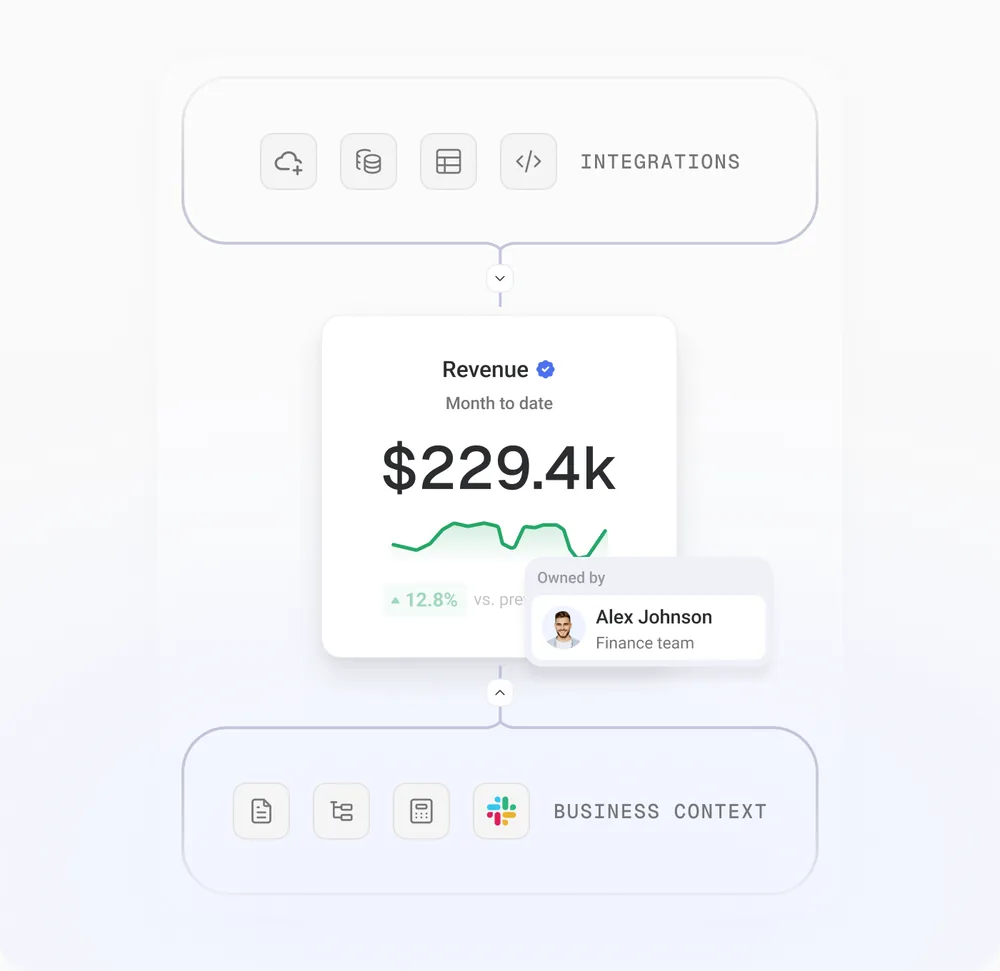
Connect your data and define it once, so your team and your AI Analyst work from numbers you trust.
Integrations
Connect HubSpot, Salesforce, GA4, Stripe, and 130+ other tools, plus spreadsheets, databases, and warehouses.
Semantic layer
Define how your metrics, dimensions, and sources relate, so every number means the same thing everywhere it appears.
Data governance
Give every metric an owner, a verified status, and a complete history, so your team and your AI Analyst work from data you trust.
Customer stories
Why teams choose Databox

We don’t have to create five or six PowerPoint reports anymore. We just create one Databoard, send it to the customer, and they can watch the numbers anytime.

Marc Woodland
Managing Director, Winbox

At 9 AM every Monday, our clients automatically receive their report for the previous week.

Jack Edge
Managing Director, Edgey

The data we’re getting from Databox is used in every decision that we make.

Harry Falowski
Digital Analyst, Conair
Implementation services
Switching from Tableau? Our team can handle the setup for you
Our team can migrate your data and reporting to Databox, then build AI-powered workflows tailored to your business. From governed metrics and automated analysis to reusable AI skills and custom Agents, we help you automate recurring work, deliver consistent insights, and reduce your team's workload.

See it with your own data
Free 14-day trial. No credit card.
Learn more
Frequently asked questions
What is the best Tableau alternative?
Databox is a Tableau alternative for business teams that want to analyze performance and automate reporting with less technical setup. It combines native integrations, predefined metrics, business context, and an AI Analyst in one platform. Teams can create reports, ask questions about performance, and schedule recurring analysis without depending on a dedicated BI team.
Is Databox or Tableau better for my team?
Tableau is best for organizations that need advanced visualization, complex data modeling, and enterprise analytics across large datasets. Databox is best for teams that want to connect business data, understand performance, and automate recurring analysis with less technical work. Its predefined metrics, AI Analyst, and reusable AI workflows make reporting and analysis accessible to business users.
Can I use Databox alongside Tableau?
Yes. You can use Tableau for advanced modeling and specialized BI analysis while using Databox for day-to-day performance monitoring, reporting, and AI-powered analysis. Databox supports connections to databases, warehouses, spreadsheets, and APIs. The integration method depends on where your Tableau data is stored and how you want to make it available to Databox.
How hard is it to switch from Tableau to Databox?
Databox offers implementation services to help teams move their reporting and analysis workflows. The team can connect your data sources, define governed metrics, configure goals, rebuild dashboards, and set up recurring AI analysis. They also train your team to manage the platform. The effort involved depends on your existing data models, integrations, and reporting requirements.
Can I move my Tableau dashboards into Databox?
You can recreate Tableau dashboards in Databox using its metric tools, dashboard builder, and AI Analyst. Once your data sources are connected, you can ask the AI Analyst to help create dashboards based on the metrics and reporting requirements you define. Tableau visualizations and workbooks do not have a verified one-click import path, so some reports may need to be rebuilt.