
Intercom
Intercom MCP Connector for Databox
Connect Intercom to your AI Analyst through MCP. It reads the conversations behind your support metrics, explaining a change in response time with the real conversation. Part of Fin, open today.
TL;DR
Get more context from your Intercom data
- Same MCP server, wired into Databox. The Intercom connector links Intercom's own MCP server to your AI Analyst, open to any Intercom workspace today as a Custom connector.
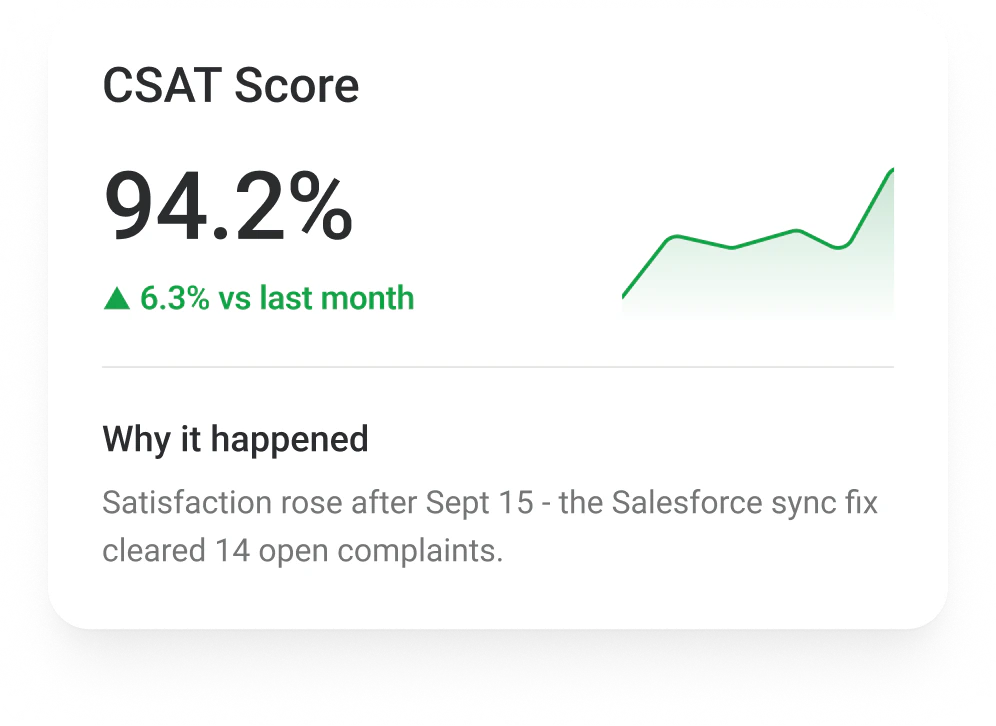
- More than the numbers: your AI Analyst reads the actual conversations behind your support metrics.
- Sharper answers: it can explain a change in response time or resolution rate with the real conversation behind it, not just the number.
The basics
An MCP connector is not the same as an integration
Intercom has both. They do different jobs and work well together.

Intercom integration
- Pulls your Intercom metrics into Databox dashboards and reports - with historical data, custom metrics, and datasets you can build on.

Intercom MCP connector
- Gives your AI Analyst live access to Intercom's own MCP server, so it can explain metrics using the conversations behind them.
How to use it
Step 1
Open connector settings
Go to your AI Analyst settings → Connectors.
Step 2
Add a custom connector
Select Add custom connector, name it Intercom and paste the URL of Intercom's own MCP server.
Step 3
Authenticate with Intercom
Sign in with your Intercom account and set tool permissions per tool.
Step 4
Ask anything
Ask a question that touches Intercom - it now pulls the record behind the number automatically.
The Databox difference
Why connecting MCP through Databox is different
You can connect this same MCP server directly to any AI tool. Here’s what changes when you connect it through Databox instead.

One tool, limited to MCP data
- Only sees what this MCP server exposes, nothing more
- No connection to your CRM, chat, or revenue data
- Not wired into your business context, so nothing runs automatically
With Databox
Enriched data, the whole story
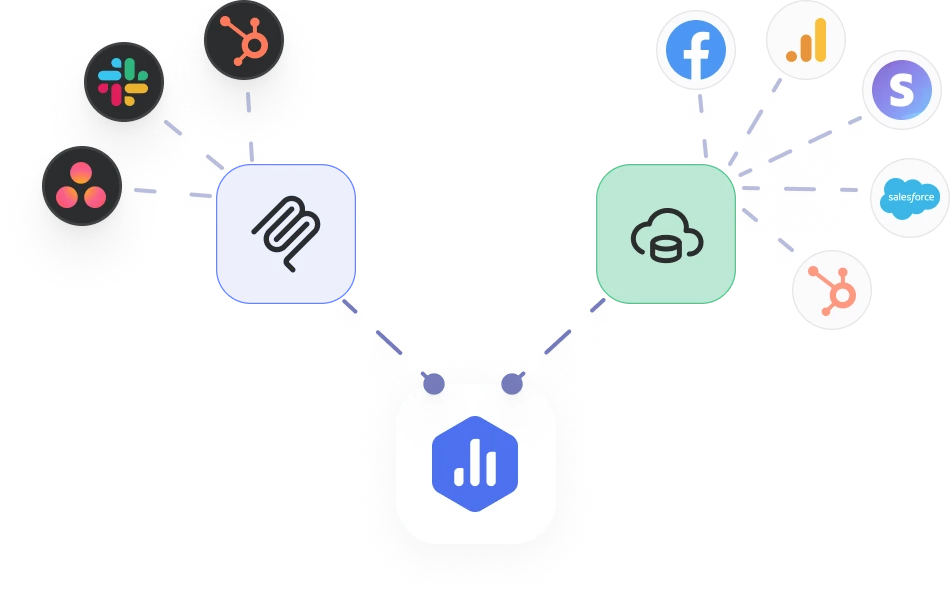
- The MCP connector brings in this data, same as anywhere else
- Plus your other Databox integrations, already connected
- Your AI Analyst reasons over the whole story, not just this one tool
- Runs automatically with Routines, reusable in every Skill
Related
More like this

Ahrefs
SEO
See the backlink and site audit detail behind an SEO metric, straight from Ahrefs.

Airtable
Productivity
See the record and base behind an operations metric, straight from Airtable.

Asana
Project Management
Bring the task and comment history behind your project metrics into your AI Analyst, straight from Asana.
FAQ
Frequently asked questions
Is there an official Intercom MCP server?
Yes. Intercom runs its own remote MCP server, part of its Fin developer platform.
Does connecting Intercom cost extra?
No. MCP connectors are included with your AI Analyst on every plan that includes it.
How do I authenticate?
Intercom's MCP server supports an OAuth flow or a direct Bearer token, and the endpoint depends on your workspace's region.
Does Databox have a one-click Intercom connector?
Not yet. Today, connect Intercom as a Custom connector using its official MCP server. A native, one-click Databox connector is planned.
What is an MCP connector?
An MCP connector links your AI Analyst to an external tool through the Model Context Protocol, an open standard for connecting AI assistants to real business systems. Once connected, your AI Analyst can read (and soon act on) the records behind your metrics - deals, tickets, conversations, campaigns - without you switching tabs.
How is an MCP connector different from a Databox integration?
A Databox integration brings your metrics into Databox so you can track, visualize and report on them. An MCP connector gives your AI Analyst access to the records behind those metrics - the deal, the ticket, the ad, the Slack thread - so it can explain why a number moved and act on it in that tool. Many tools, like HubSpot and Facebook Ads, have both, and they work best together: the integration shows what changed, the connector shows why.
Can I connect any tool, or only the ones in the connector library?
Any tool with an MCP server. You can pick an official connector built by Databox, then click connect and sign in. Or you can add a custom connector: paste the server URL, choose how it signs in (OAuth, API key, bearer token or none), name it and connect.
Is my data safe when I connect a custom MCP server?
You decide what each connector can do. Every tool on a connector has its own setting - Always allow, Needs approval or Blocked - and every tool starts on Needs approval. Official connectors are reviewed by Databox. Custom servers are not, and once connected, a server can access your AI Analyst's content and share data outside Databox. Only connect servers you trust. You can change permissions or disconnect at any time.
Do MCP connectors cost extra?
No. MCP connectors are included with your AI Analyst at no extra cost.
What can my AI Analyst do with a connected tool today?
It can read and act. Read tools let it look up deals, tickets, campaigns and messages to explain why a metric moved, answer a question or run a Routine. Write tools let it take action in the tool, like updating a deal stage, sending a Slack message or creating a task. Every action follows the permissions you set, and new tools start on Needs approval.
Give your AI Analyst the full picture
Connect the tools where your business happens, official or custom, and let your AI Analyst explain what changed and why.