
Weekly Growth Dashboard
A Claude skill that connects to your Databox workspace via MCP and produces a single Monday-morning growth briefing across three platforms at once. It pulls two rolling four-week periods of GA4 traffic, Google Search Console visibility, and CRM contacts, compares them side by side, and builds a self-contained HTML dashboard and 4–6 prioritized recommendations. The difference: every recommendation is filtered through the ideal client profile you define once, so opportunities that would attract the wrong audience get flagged instead of chased.
- ~5 minutes setup
- Runs on demand
- Claude + Databox MCP
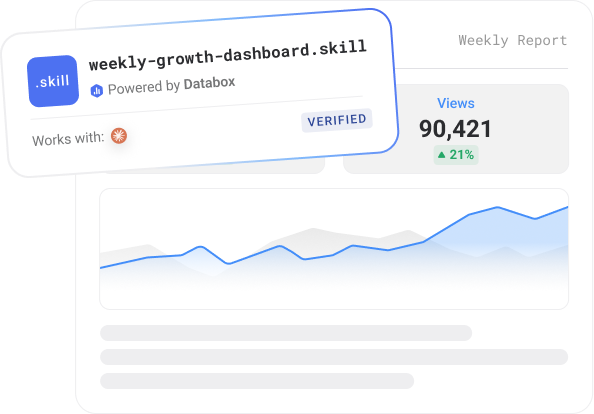

- Works with
- Claude
- Requires
- Databox account + Databox MCP
- Data source
- Google Analytics 4, Google Search Console, HubSpot CRM, Pipedrive CRM, Salesforce CRM
- Output
- HTML report
- Best for
- Growth teams, agencies, founders
- Setup time
- ~5 minutes
What it does
Monday morning usually means opening GA4, then Search Console, then your CRM, and stitching the story together by hand — an hour of clicking before you know whether last week was actually good. And even then, most dashboards tell you what happened, not what it means or whether the traffic was the right traffic.
This skill collapses that into one read. Connect GA4, Search Console, and your CRM to Databox, run it, and it pulls two equal rolling four-week windows and shows every metric as current vs. prior with a color-coded delta — sessions, active users, new users, engagement rate, traffic by channel (including an AI-referral cluster), search impressions/clicks/CTR/position by page and query, and new website-converted contacts by source, with manually-added contacts excluded so conversions aren’t inflated.
The part a dashboard can’t do: it reads everything against your ideal client profile. You define your ICP once — buyer titles, pain points, what content wins, what attracts the wrong audience, and a one-sentence litmus test. From then on it tags search content as ICP-matched or audience-mismatch, shows how much of your visibility is reaching the right buyers, and every recommendation has to pass your litmus test before it surfaces.
Output is a self-contained HTML dashboard with sortable tables, a Print/Save-as-PDF button, and 4–6 recommendations in plain advisor language, each with its supporting data point and an Urgent/High/Medium priority. Setup runs once; every Monday after is a two-word trigger.
No AI hallucinations. Analysis built on a real context layer.
Ask a generic AI to analyse your business performance and it will give you a confident answer. It will also be working from assumptions.
Generic AI doesn't know how your business defines a qualified lead, what your MRR calculation includes, or how you attribute revenue. It fills those gaps with the most plausible interpretation it can find — which is different from the correct one.
The products here run on Databox's data layer — if you choose so. Your metric definitions, your reporting logic, and your live numbers are what the AI reads, pulled straight through Databox MCP instead of uploaded by hand. That's the difference between an output you can share with your team and one you have to verify before you trust it.
What metrics it analyzes
-
 Total sessions
-
Sessions by source
-
Active users
-
New users
-
Engagement rate
-
Top queries by clicks
-
Top queries by impressions
-
Top pages by clicks
-
Top pages by impressions
-
CTR by page
-
Avg position by query
Who it's for
What's in the package
Security scanned Reviewed by DataboxHow to use it
Example prompts you can ask Claude
What you need to run this
Claude
Free to download. Required to install and run skills.
Databox account
The skill connects to your data in Databox. The 14-day trial and all paid plans include all integrations you need to use this skill.
MCP connection
Connector inside your Claude. Takes less than a minute to set up. Full instructions in the setup guide included in the download.
Free to start. Connect your first integration in minutes — no credit card required.
Connect any AI tool to your Databox data with Databox MCP.
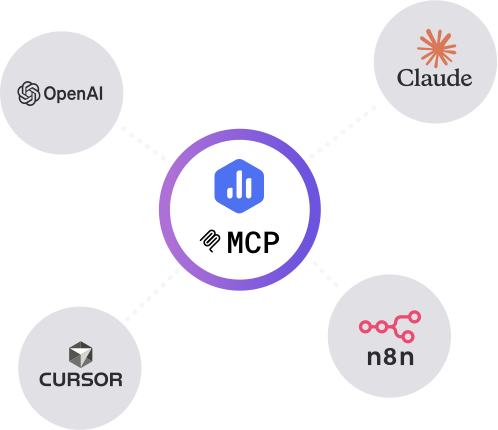
Databox MCP is the bridge between your live metrics and any AI — Claude, ChatGPT, Cursor, or any client that speaks MCP. One auth, every workspace, no scraping.
Example output
Common questions
What does the Weekly Growth Dashboard do?
It's a Claude skill that connects to your Databox workspace through MCP and builds one weekly growth briefing across GA4, Search Console, and your CRM. It compares the last four weeks to the prior four, flags search opportunities and conversion trends, and writes 4–6 recommendations — each filtered through the ideal client profile you define, so it tells you what the numbers mean and what to do, not just what happened.
What data sources does it need?
Three, all connected to Databox: Google Analytics 4, Google Search Console, and a CRM (HubSpot, Salesforce, Pipedrive, or another supported CRM). The dashboard won't run until all three are connected. A one-time setup conversation discovers your sources, identifies your CRM contact metric, and captures your ICP.
What's in the output?
A self-contained HTML dashboard with seven sections: a five-card KPI summary, traffic overview by channel, Search Console pages, top queries, website-converted contacts by source, an audience-alignment view of ICP-matched vs. mismatched visibility, and prioritized recommendations. Tables are sortable, there's a Print/Save-as-PDF button, and you get a 3-sentence headline summary in chat.
Do I need a Databox account to use this skill?
Yes, ideally — and here's why it matters. Point a generic AI at a raw data export and it has to guess what your numbers mean: which conversions count, how you define an engaged session, what a "normal" week looks like. It fills those gaps with the most plausible interpretation it can find, which is often not the correct one. The skill avoids that by reading your data live from Databox through MCP, where your metrics are already standardized — one consistent definition for sessions, engagement, and conversions across your setup. The AI reads what's actually true for your business instead of inferring it, so the report is one you can trust rather than verify. You can technically run it against data you've pasted in by hand, but you lose that context layer and the output is only as reliable as the export. If you don't have an account or data source connected yet, the skill walks you through the setup.
Do I need a paid Databox plan to run this skill?
The skill is free to download. Running it requires the Databox MCP connection, which isn't included on the forever free plan. Every new Databox account starts with a 14-day free trial that includes everything the skill needs — after that, any paid plan covers it, including the Analyst plan.
Does this use live data from my connected source?
Yes — every run reads your live data directly from Databox through the MCP connection. The report reflects your current data at the moment you run it, not a cached or uploaded snapshot.
Do I need to export data manually?
No — there are no CSV exports and no copy-paste. The skill pulls your data straight from Databox through MCP each time it runs, so the report is always built from your live source.
Can agencies run this for multiple clients?
Yes — run it against each client's data connected in Databox, one account at a time, and you get the same structured weekly brief for every client. It's built to give a consistent report you can take to each client review.
Can I customize the report?
Yes. Before it runs, the skill asks a few onboarding questions — what you want to measure, the time frame, and any context that matters for the analysis — so the report is shaped to your goals from the start. After a run, you can give it feedback to adjust focus, sections, or anomaly thresholds, and reinstall the updated version so your changes carry into future runs.
Executive Decision Brief
Turn your connected metrics into a one-page leadership briefing in minutes.

Messaging Audit
A nine-signal funnel diagnostic that pinpoints which stage is where your messaging loses buyers.
-

-
-

- +1
Search & Traffic Performance Skills Bundle
Three free Claude skills, one complete picture — website performance, search rankings, and AI visibility, reported from
-

-

-
- +3